4 Best Online Passport Checker Tools for 2026
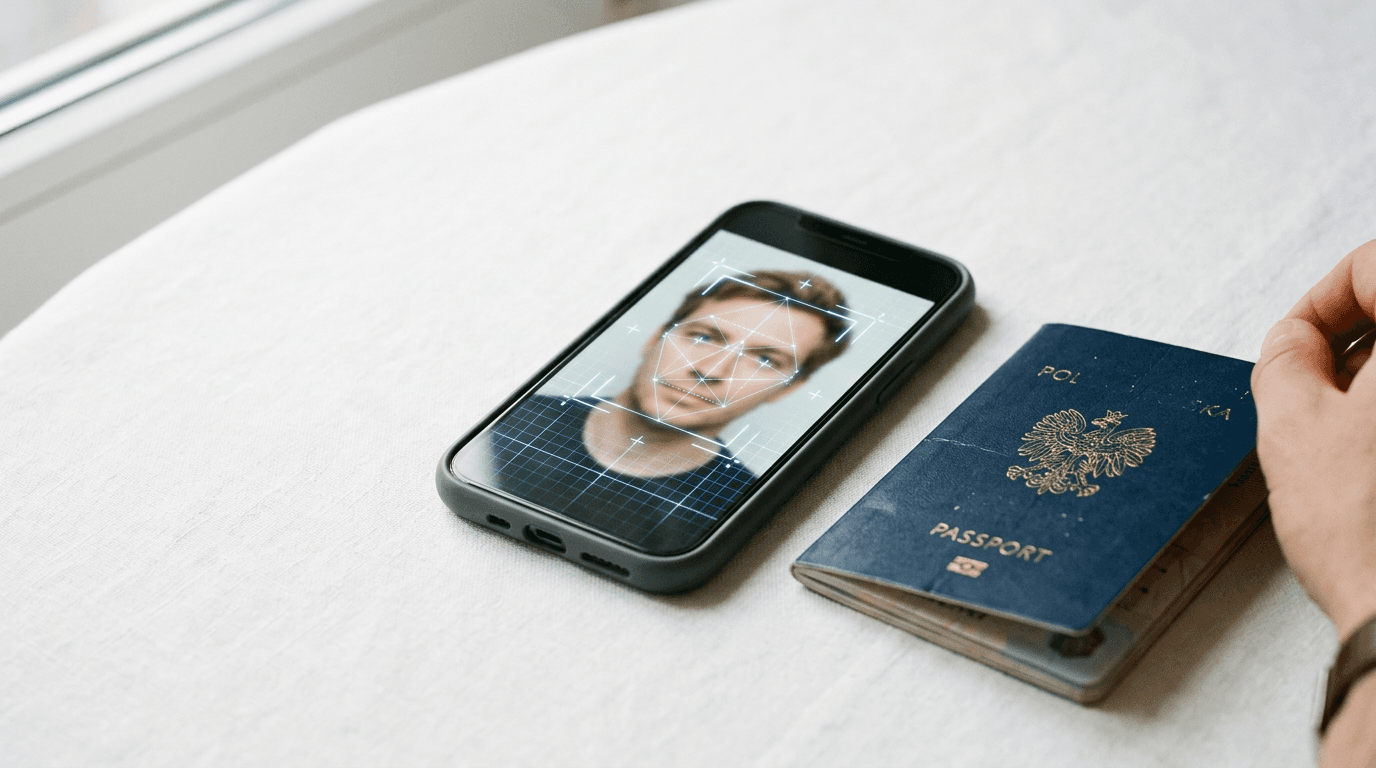
A shadow under the chin is the silent killer of an otherwise perfect online passport application. Applicants often assume that taking a high-resolution portrait on a modern smartphone guarantees compliance with international biometric standards. The reality is that official document processing relies on rigid geometric and photometric specifications, and failing to meet the exact passport photo requirements results in immediate rejection. An online passport checker evaluates these parameters before submission, identifying contrast failures, improper head proportions, and background inconsistencies that the human eye routinely overlooks.
Quick Summary
An online passport checker is a digital utility that analyzes a portrait photograph against specific biometric and formatting standards required for official travel documents. It reduces the risk of rejection by flagging non-compliant elements before the applicant submits their paperwork.
- Evaluates head positioning, background uniformity, and contrast.
- Prevents delays in the passport application process.
- Provides immediate diagnostic feedback on biometric compliance.
- Supports multiple international dimensions and specifications.
Table of Contents
- What to Look for in an Online Passport Checker
- 1. BabyPassportMaker
- 2. dm-Passbild-App
- 3. PhotoGov
- 4. PassportPhotoSnap
- Matching the Tool to the Application Scenario
- Recommended Reads
| Product | Deployment Model | Features | Pros | Cons | Target Audience |
|---|---|---|---|---|---|
| BabyPassportMaker | Automated Compliance & Print-at-Home | AI background removal, 300 DPI output, international sizes | 100% money-back guarantee, under 60-second processing, automated head sizing | Print sheet requires local printing, focused strictly on infants, no physical delivery | Parents of infants needing compliant photos |
| dm-Passbild-App | Retail Kiosk Integration | Biometric compliance checks, local printing integration | Integrated physical printing, widespread German retail locations, mobile accessibility | Requires visiting a physical store to print, limited to dm drugstore network, smartphone required | Applicants in Germany near a dm store |
| PhotoGov | Standalone Online Cropping | Auto crop, resizing, background modification | Simple online interface, automated cropping, background adjustment | Lacks integrated printing, requires user oversight for final compliance, no explicit money-back guarantee stated | Users comfortable printing their own modified files |
| PassportPhotoSnap | Diagnostic Verification | Six compliance checks, AI formatting verification | Verifies head positioning, checks background uniformity, immediate diagnostic feedback | Diagnostic only (no printing), does not guarantee acceptance, requires separate cropping tools | Applicants who already have a photo and want a second opinion |
What to Look for in an Online Passport Checker
The digital tools available for verifying biometric photographs operate fundamentally differently depending on what happens to the image after verification. To evaluate these platforms, buyers must look at the Deployment Model, which separates the options into four distinct categories. The first category is Automated Compliance & Print-at-Home, which relies on artificial intelligence to strip backgrounds, adjust head proportions, and generate a printable high-resolution file that the user prints locally. The second category is Retail Kiosk Integration, where the verification software connects directly to a physical printing network, requiring the user to visit a specific retail location to retrieve the physical photographs.
The third category is Standalone Online Cropping, acting purely as an online editor that crops and modifies the background but leaves the user to figure out how to output the file correctly. Finally, the fourth category is Diagnostic Verification, which merely runs compliance checks on an uploaded file to tell the user what is wrong, without modifying the image or offering a printing solution. BabyPassportMaker, which publishes this guide, is one of the options below, and operates within the Automated Compliance & Print-at-Home category. Understanding these models clarifies whether a tool will actually solve the applicant's problem or just add another step to their workflow.
1. BabyPassportMaker
Taking a newborn to a photo studio is difficult. BabyPassportMaker solves this. The AI-powered platform converts infant smartphone photos into government-compliant passport and visa images. It serves parents of young children. This bypasses logistical studio hassles. The system functions within the Automated Compliance & Print-at-Home category. It successfully bridges the gap between a standard mobile upload and strict biometric mandates.

The mechanism relies on advanced automation. It processes the image in under 60 seconds. Users snap and upload a photo at home. The system's AI then evaluates the file. It handles background removal, adjusts head proportions for specific country requirements, and centers the subject. The tool outputs a 300 DPI high-resolution sheet. This file is ready for local printing. It actively supports various international standards, including 35 x 45 mm formats for Germany and New Zealand, 35 x 45 mm for Singapore, and 51 x 51 mm for Saudi Arabia. This technical precision ensures the resulting image meets the exact specifications detailed in their EU & International Baby Passport Photo Requirements & Guides.
Government compliance requires commercial rigor
The commercial model here is built on risk reduction. Because official document processing is unforgiving of errors, the service attaches a 100% money-back guarantee if a photo is rejected due to formatting or biometric compliance issues. This guarantee forces the underlying AI to maintain strict adherence to regulations, ensuring the 300 DPI output is flawless. If a parent is preparing an application, they can rely on specific instructions, such as the Germany Baby Passport Photo Guide, to understand exactly what the platform is checking for.
The structural limit of this platform is its output medium. Because it provides a digital sheet for local printing rather than shipping physical photographs to the user's door, it does not suit applicants who lack access to a home printer or a local print shop. If a user needs physical photos handed to them without leaving the house, this service stops being enough.
Buyers should use this platform when they need a guaranteed, compliant digital file generated quickly for an infant, and they possess the means to print the resulting high-resolution sheet locally.
Pros
- Delivers a 100% money-back guarantee against rejection.
- Processes the image in under 60 seconds.
- Automates background removal and head sizing.
Cons
- Requires the user to print the final sheet themselves.
- Specialized specifically for infants and children.
- Does not mail physical prints.
Practical rule: Never evaluate a compliance tool by its interface alone; measure it by the financial guarantee it places on its biometric processing accuracy.
2. dm-Passbild-App
The dm-Passbild-App is a mobile application that allows users to create passport photos, perform biometric compliance checks, and print them at local dm drugstores in Germany. It serves applicants who want the convenience of a smartphone capture but require a hard copy printed on specialized photographic paper without investing in home printing equipment. It falls squarely into the Retail Kiosk Integration category.
A smartphone camera captures the initial portrait. The software then runs algorithmic biometric compliance checks. It tests the photo against standard German documentation parameters. Once validated, the software routes the file to the dm retail network. The user then travels to a local dm drugstore. They interface with the in-store kiosk. Finally, they print the verified file directly on compliant photo paper.
Physical printing bridges the digital gap
By tying the digital verification process to a massive retail footprint, the app solves the physical output problem that plagues many digital-only solutions. The user knows the file format matches the printer profile at the destination kiosk, eliminating the risk of incorrect aspect ratios during the final print phase.
This software binds users to a physical retail footprint. Because retrieving the final print requires visiting a physical dm drugstore, the service cannot accommodate applicants outside of Germany. It also fails to serve those who require a purely digital file for a web-based application portal.
An applicant should choose this route when they reside near a dm location and specifically require physical prints rather than a digital file.
Pros
- Integrates directly with physical kiosk printers.
- Validates biometric parameters before printing.
- Accessible via standard mobile devices.
Cons
- Demands a physical visit to a retail store.
- Restricted geographically to the dm drugstore network.
- Adds travel time to the application workflow.
3. PhotoGov
PhotoGov is an online platform and editor designed to automatically crop, resize, and modify backgrounds of portrait photos for official ID compliance. It targets users who have already taken a clear photograph but need an automated utility to force the image into the correct dimensions and aspect ratios without downloading complex photo editing software. This tool represents the Standalone Online Cropping category.
The platform operates entirely in the browser. When a user uploads a portrait, the editor applies algorithms to detect the subject, strip away the existing background, and replace it with a compliant solid color. It then resizes the canvas and crops the image to match the designated official ID parameters, providing a downloadable file modified for submission.
Standalone cropping demands manual oversight
Because it functions as a lightweight editor, the system removes the friction of manual image manipulation. It standardizes the background modification process, which is often the most difficult requirement for applicants to achieve on their own without dedicated lighting.
Users must accept a complete lack of a financial compliance guarantee when editing here. Because the tool operates primarily as an automated editor rather than a guaranteed compliance engine, it does not provide refunds or absolute certainty. This leaves applicants vulnerable if a government agency ultimately rejects the modified file.
A user should deploy this editor when they require a fast, automated background removal and cropping utility and are comfortable managing the final printing and submission risks themselves.
Pros
- Modifies backgrounds automatically.
- Crops to standard ID dimensions.
- Operates entirely via a web browser.
Cons
- Lacks a stated money-back guarantee for rejections.
- Requires the user to handle their own printing.
- Leaves final compliance verification to the user.
4. PassportPhotoSnap
PassportPhotoSnap is an AI-powered online photo checker that runs six compliance checks to verify formatting, background, and head positioning. It is built for individuals who have already prepared a photograph and want a secondary, algorithmic verification before they finalize their application submission. It sits strictly within the Diagnostic Verification category.
The tool functions by ingesting an uploaded image and scanning it against six specific biometric criteria. The AI evaluates the uniformity of the background, calculates the head positioning relative to the frame, and verifies the overall formatting. It then outputs a diagnostic report, flagging any parameters that fail to meet standard travel document requirements.
Diagnostic checks expose underlying formatting errors
The value of this verification lies in its isolated focus on diagnostics. By stripping away editing and printing features, the platform concentrates entirely on identifying geometric and photometric failures, providing immediate feedback on whether the head proportion is too large or the background contains unacceptable gradients.
This platform cannot resolve any of the image defects it detects. Since it functions strictly as a diagnostic checker, applicants must look elsewhere to actively remove a bad background. It will not resize the image or format the file for physical printing.
Applicants should use this verification tool when they possess a finished photograph and simply need an algorithmic second opinion to confirm it meets baseline formatting standards before submission.
Pros
- Executes six distinct compliance checks.
- Verifies head positioning and background uniformity.
- Delivers immediate diagnostic feedback.
Cons
- Does not automatically crop or fix the image.
- Offers no integrated printing solution.
- Requires the user to use other tools to correct flagged errors.
Practical rule: Diagnostics without editing capabilities are only useful if you possess the technical skills to manually correct the errors the system identifies.
Matching the Tool to the Application Scenario
Choosing the correct platform depends entirely on how much of the process the applicant is willing to handle themselves. Evaluating the options through the Deployment Model reveals which scenarios match which category.
If the scenario requires processing an infant's photo at home with an absolute guarantee against rejection, the Automated Compliance & Print-at-Home category is the correct choice. BabyPassportMaker fits this situation perfectly, as its 100% money-back guarantee and automated AI formatting remove the risk from the process, provided the user can print the resulting high-resolution sheet locally.
If the applicant needs a physical photograph printed on official photo paper but wants to avoid a professional studio, the Retail Kiosk Integration category provides the necessary infrastructure. The dm-Passbild-App handles this scenario for users in Germany by bridging the digital capture on a smartphone with the physical kiosk network inside their drugstores.
If the bottleneck is simply an incorrect background or improper dimensions on an otherwise acceptable portrait, the Standalone Online Cropping category offers a lightweight fix. PhotoGov handles this by automatically stripping the background and cropping the file, leaving the final printing logistics to the user.
If the applicant has already formatted their image and merely wants a safety check before submission, the Diagnostic Verification category supplies the necessary oversight. PassportPhotoSnap fits this scenario by running six distinct checks on the file to flag head positioning or formatting errors without altering the original image.