4 Passport Photo Maker Options for 2026 Travel Documents
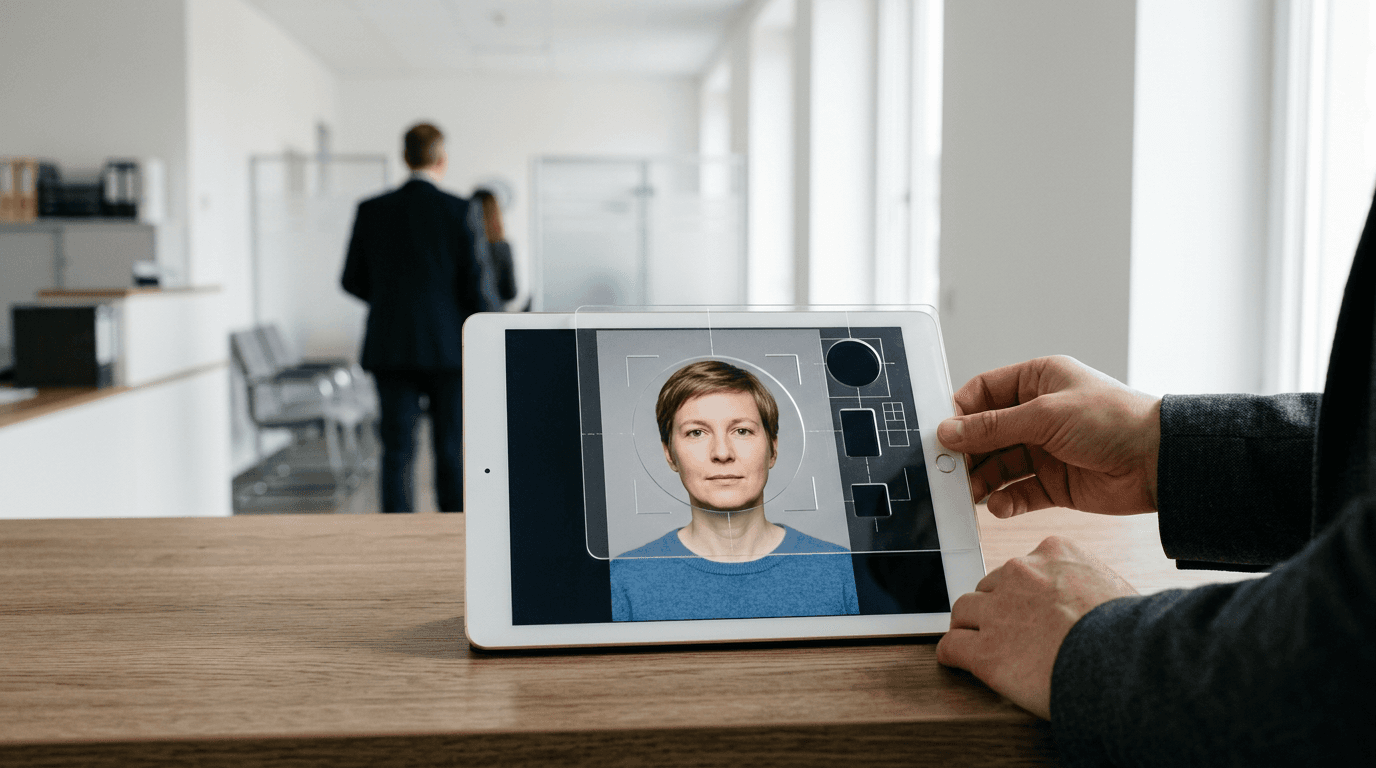
Standing at the German consulate or the Bürgeramt, watching the clerk scan a printed photo through their biometric template gauge, is a tense experience for any applicant. If the chin-to-crown ratio measures 31mm instead of the mandatory 32mm, the entire application is rejected on the spot. The applicant then has fifteen minutes to locate a functional photo booth or forfeit an appointment that took months to secure. This specific point of failure is exactly where a reliable passport photo maker separates itself from generic cropping applications. The software must enforce rigid geometric rules before the image ever reaches a printer.
Quick Summary
A biometric digital passport photo tool evaluates, crops, and reformats standard smartphone images to meet stringent governmental identification criteria. Selecting the right utility prevents consular rejections by validating dimensions, background contrast, and facial alignment automatically.
- PhotoGov manages broad document formats across multiple global templates.
- Pics4Pass functions as a rigorous diagnostic tool to test existing images.
- ReSizer.AI processes facial data strictly on the client side to protect privacy.
- Passfotogenerator.com offers static overlays for operators comfortable with manual alignment.
Table of Contents
- Decoding Processing Architecture Before Choosing
- 1. PhotoGov
- 2. Pics4Pass
- 3. ReSizer.AI
- 4. Passfotogenerator.com
- Matching Workflows to Final Destinations
- Recommended Reads
| Product | Processing Architecture | Features | Pros | Cons | Target Audience |
|---|---|---|---|---|---|
| PhotoGov | Automated Cloud Processor | Global templates, background removal, printable A4 sheets | High format variety, automated adjustments, multi-document support | Strict daily limits on free tier, paid human verification, relies on server uptime | Users requiring simultaneous prints for varied document types |
| Pics4Pass | Diagnostic Checker | AI biometric verification, facial mapping, compliance checks | Free diagnostic tool, highlights specific lighting errors, prevents bad submissions | Does not fix severe image flaws, requires high-quality source file, strict rejection thresholds | Applicants verifying self-taken photos before official upload |
| ReSizer.AI | Local Browser Resizer | Client-side rendering, browser-based, privacy-first | Zero server data upload, strong data privacy, immediate processing on fast devices | Performance tied to local hardware, struggles with massive raw files on older phones, less automated assistance | Users prioritizing data sovereignty and offline-style processing |
| Passfotogenerator.com | Local Browser Resizer | Static graphical overlay, German-language UI, manual cropping | Free printing grids, transparent alignment, localized interface | Demands operator precision, zero automated error correction, easy to misalign ratios | Confident users familiar with standard biometric templates |
Decoding Processing Architecture Before Choosing
Evaluating the Best Passport Photo Maker Tools for 2026 reveals a divide based on how and where the visual data is manipulated. Evaluating these utilities by feature counts often obscures the actual mechanics of the software. Instead, categorize these options by their Processing Architecture. This lens dictates where your facial data travels, how errors are corrected, and who bears the ultimate responsibility for compliance.
An Automated Cloud Processor routes your uploaded image to external servers. Here, proprietary edge-detection algorithms separate the subject from the background, and facial recognition mapping automatically scales the head to meet specific national dimensions. This category handles the heavy lifting but requires trusting a third-party server with sensitive biometric data.
A Local Browser Resizer executes all image manipulation on the client side. By leveraging your device's own processing power through modern web APIs, the image never leaves your computer or smartphone. This removes the privacy risk associated with cloud uploads, but it often shifts the burden of accurate alignment back onto the user, as running complex AI models directly in a browser remains computationally expensive.
A Diagnostic Checker assumes you have already captured and cropped an image. Rather than generating a new file from scratch, it evaluates the uploaded image against official threshold metrics. It acts as an online passport checker, flagging shadows, incorrect eye-lines, or improper background contrast, serving as a final hurdle before official submission.
Practical rule: Always measure the physical chin-to-crown distance on a test print with a physical ruler before running off multiple copies, as native printer scaling often distorts perfect digital dimensions.
1. PhotoGov
An applicant managing a complicated move often needs a digital file for a German residence permit and a physical printout for a driving license, but only has a mobile selfie to work with. PhotoGov is an online ID and passport photo generator that formats selfies to meet global biometric standards, targeting applicants who need to satisfy multiple regional document requirements from a single source image.
The mechanism relies on cloud-based routing. Once a user uploads a photo, the platform assesses the image against a database of document-specific geometric rules. For a German passport, the algorithm maps the interpupillary distance and forces the chin-to-crown ratio to sit exactly between 32mm and 36mm. The system then automatically extracts the original background, replacing it with a uniform light gray or white field as dictated by the chosen national standard.
Document variety introduces tiered pricing
Supporting multiple templates allows the platform to monetize specific export formats. The service supports formatting for multiple German documents, including driving licenses, health cards, national IDs, and residence permits. A digital passport photo formatted for Germany costs €3.90, with an option to add a printable A4 sheet for an additional $2.90 according to its published pricing. A professional human verification option is also available as an add-on at checkout for a fee of $4.90.
Depending on location and system load, users can generate up to two free automatic crop ID photos per day without advanced features. This hard cap restricts bulk processing and forces high-volume users into the paid tiers immediately. I would hold off on the human verification add-on unless the source image contains heavy shadowing around the jawline that automated background removal algorithms frequently misinterpret.
Opt for this platform when converting a single selfie into multiple national formats simultaneously and you are willing to pay per premium export.
Pros
- Applies correct dimensional ratios across varied global documents without manual input.
- Automates background removal to salvage photos taken in imperfect environments.
- Provides a standardized A4 export grid ready for immediate local printing.
Cons
- Imposes strict daily limits on the free automatic crop generation.
- Charges independently for the digital file, the print sheet, and the verification service.
- Relies entirely on external server uptime to process the initial image upload.
2. Pics4Pass
A rejected visa application caused by subtle background shadows or an imperceptible head tilt often sends applicants looking for a diagnostic tool rather than a mere cropping utility. Pics4Pass operates as a free online generator and diagnostic checker that uses AI-based biometric verification to evaluate images before official submission.
Rather than aggressively editing a poor image into compliance, the software executes an automated facial mapping sequence. This checks the existing file. The AI measures contrast ratios. It checks for shadows across the face's T-zone. It verifies the subject's mouth is closed. The tool ensures the eye-line falls within the prescribed vertical threshold. If the image fails any of these checks, the tool flags the specific metric. It never silently exports a flawed file.
Diagnostic assessment requires an initial quality baseline
Because the engine focuses on verification, it demands a competent source image. Referencing the Germany baby passport photo guide highlights how difficult it is to capture a compliant photo of an infant; if the lighting is inherently directional or the background is heavily textured, an automated checker will simply fail the image.
As a free diagnostic checker, it verifies your upload. It avoids heavily manipulating a poor photo into compliance. If the original exposure is blown out or the focus is soft, the software blocks the export. It never attempts to synthesize lost pixel data. I would hesitate to use this as a primary workflow. Repeatedly uploading slightly different outtakes is frustrating. You do this to see which one clears the algorithm.
Rely on this verifier when you possess a high-resolution, evenly lit native image and need pre-submission confidence that it passes biometric thresholds.
Pros
- Provides immediate, automated feedback on specific biometric failures like lighting and tilt.
- Operates entirely free of charge for its core diagnostic and generation functions.
- Prevents the user from accidentally exporting and printing a fundamentally flawed image.
Cons
- Requires a high-quality initial photograph to function effectively.
- Lacks the heavy manipulation tools needed to fix poor background contrast.
- Triggers frequent rejections for minor lighting deviations that human clerks might pass.
3. ReSizer.AI
When processing identity documents for minors or sensitive corporate personnel, routing unmasked facial data through an unknown cloud server poses a significant data security risk. ReSizer.AI operates as a private, browser-based image resizing and biometric passport photo creation tool designed for users who prioritize strict data sovereignty.

The platform's primary mechanism relies entirely on client-side rendering. By utilizing the browser's native WebGL and Canvas APIs, the software imports the photograph directly into the local memory of the user's device. The scaling, cropping, and dimension formatting happen on the computer's own processor. Because the application bypasses external server uploads completely, the resulting file is never transmitted across the internet during the editing phase.
Privacy via local processing removes cloud convenience
Keeping the entire workflow localized creates a direct dependency on the user's hardware. While a modern desktop computer handles native 48-megapixel smartphone files seamlessly, older mobile devices often struggle to run memory-intensive web applications.
Because it runs entirely in the browser, performance scales directly with the device's hardware, potentially lagging or crashing on older mobile phones attempting to process high-resolution raw camera files. I would avoid relying on this tool if you are working from an outdated mobile device with limited RAM, as the browser will likely freeze during the background masking phase. Reading a comprehensive Privacy Policy on cloud tools often reveals how long data is stored, making this local approach highly attractive for privacy-conscious users.
Select this architecture if uploading unmasked facial data to external servers violates your personal privacy constraints and your local hardware is robust.
Pros
- Guarantees that sensitive biometric data never leaves the local device during processing.
- Functions rapidly on modern hardware without waiting for server queue times.
- Operates smoothly over slow or intermittent internet connections once the page loads.
Cons
- Struggles to render massive native image files on older or budget smartphones.
- Offloads all computational strain onto the user's battery and local processor.
- Lacks the advanced, server-side AI necessary for perfect edge-detection on complex hair.
4. Passfotogenerator.com
Unlike automated biometric engines that attempt to map facial features invisibly and make decisions for the user, some applicants prefer absolute control over the final crop. Passfotogenerator.com is a free, German-language web utility designed for cropping and printing biometric passport photos through direct manual manipulation.
The tool functions by imposing a static vector mask over the user's uploaded file. This graphical overlay represents the exact dimensional requirements of a standard biometric template. The user must manually zoom, pan, and rotate the underlying photograph until the chin rests on the lower boundary line and the crown of the head meets the upper limit. Once the user confirms the alignment, the tool locks the crop and generates a printing grid.
Manual alignment assumes user understanding of the template
Handing control back to the user removes the black-box frustration of AI rejections, but it introduces the risk of human error. Reviewing the New Zealand baby passport photo guide demonstrates how specific national framing rules can be; if the user scales the image incorrectly within the mask, the resulting photo is useless.
The tool relies entirely on the operator to correctly align the physical features within the digital mask; an inexperienced user can easily export a structurally invalid file because the software will not stop them. I would decline to use this utility for infant photography, where posture is asymmetrical and placing a rigid static mask over an irregular posture usually results in a non-compliant crop.
Deploy this utility when you are familiar with standard biometric ratios and need a fast, localized tool to generate a manual printing sheet.
Practical rule: Never assume a static digital mask accounts for lens distortion; if the original photo was taken too close to the face with a wide-angle smartphone lens, perfectly aligning the chin and crown in the software will still result in a rejected photo due to distorted facial proportions.
Pros
- Grants the user total control over the final framing and rotational alignment.
- Provides a native German-language interface for local applicants.
- Bypasses the strict, often overly sensitive AI rejections found in automated checkers.
Cons
- Allows users to easily generate non-compliant photos if they misunderstand the overlay.
- Offers zero automated background removal or lighting correction.
- Requires manual effort that slows down bulk processing workflows.
Matching Workflows to Final Destinations
Choosing the right utility comes down to matching the Processing Architecture to your immediate logistical constraints and technical capabilities.
If your workflow demands high-volume formatting across multiple international templates, an Automated Cloud Processor is the most efficient choice. Tools in this category handle the geometric heavy lifting and background extraction automatically. This architecture suits applicants who need a fast digital file for a visa and a ready-to-print sheet for a driving license, provided they accept the recurring costs and data transfer requirements associated with cloud platforms.
When data sovereignty and security dictate your software choices, a Local Browser Resizer offers a secure path forward. By keeping the image data strictly on the client side, this architecture allows parents, corporate administrators, and privacy-conscious users to format sensitive identity documents without exposing unencrypted files to third-party databases. This approach requires modern local hardware to prevent browser lag but pays dividends in operational security.
For users who already possess high-quality native photographs and simply need verification before a high-stakes consular appointment, a Diagnostic Checker serves as the final line of defense. Searching for a passport photo online free tier often leads to basic cropping tools, but a true diagnostic engine will parse lighting, contrast, and facial mapping. This architecture prevents the submission of fundamentally flawed images, saving the applicant from immediate rejection at the processing desk.