5 Best Online Passport Checker Tools for 2026
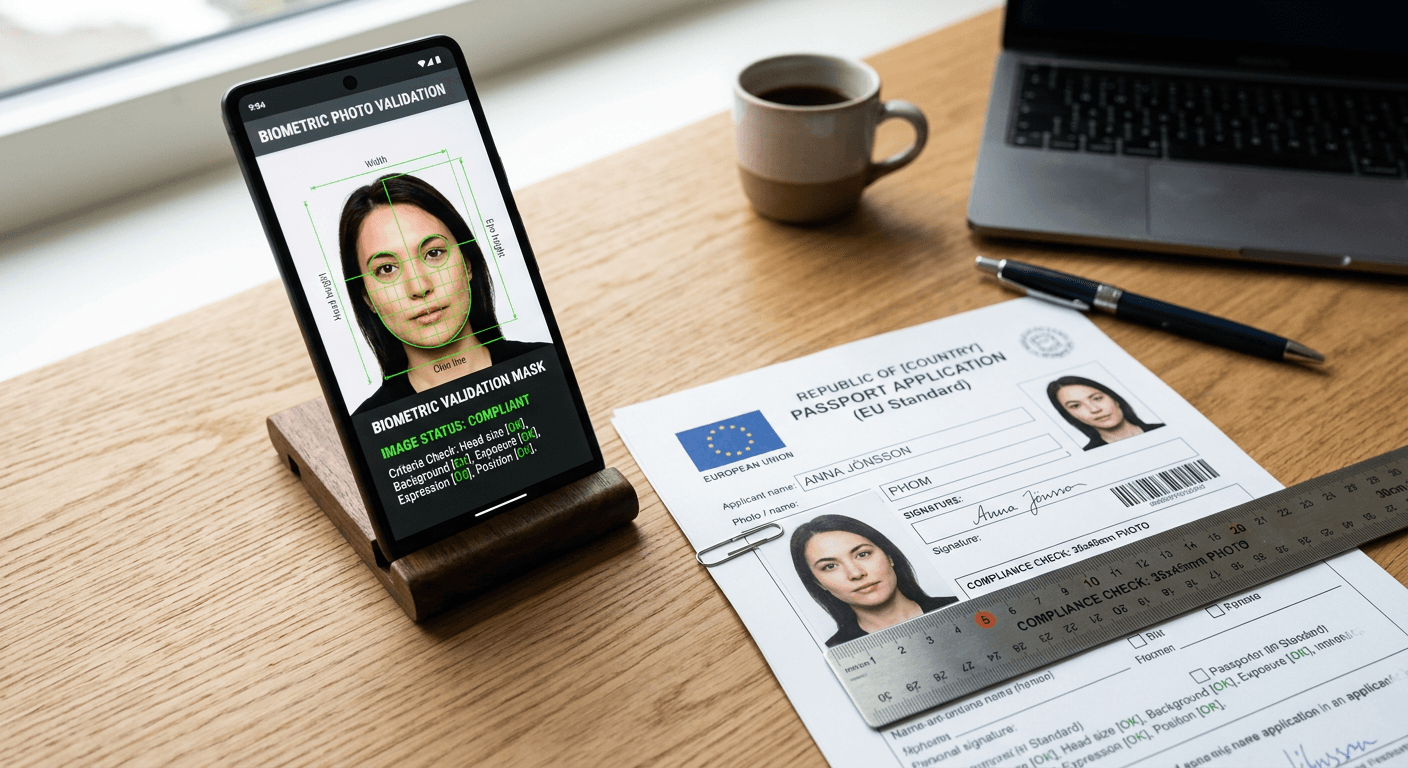
The rejection letter from the consulate rarely arrives because your primary documentation was flawed; it arrives because the background of your application image was slightly off-white rather than pure white, or the crown of the head sat two millimeters too high in the frame. Navigating biometric requirements without dedicated validation means gambling on manual measurements. An online passport checker removes that variable by evaluating the pixel data against specific government databases before submission. Processing a digital passport photo correctly at home requires understanding ISO/IEC 19794-5 standards - the international baseline for biometric formatting - and applying the exact localized deviations a given country demands.
Quick Summary
A passport photo compliance tool is a software layer that evaluates user-uploaded images against government biometric standards, automating cropping, background replacement, and shadow detection.
- Automated validation reduces the rejection rate of self-taken application photos.
- Background removal algorithms standardize lighting artifacts that standard editing cannot fix.
- Compliance checks match exact national requirements, such as a 35x45mm dimension and specific face coverage proportions.
- Dual-layer services combine initial artificial intelligence scans with a final manual review by human operators to catch edge cases.
Table of Contents
- Quick Summary
- Comparison Table
- How to Choose: Processing Models Explained
- 1. VisaPhotoCheck
- 2. Passport Photo Online
- 3. PhotoGov
- 4. PhotoAiD
- 5. 123PassportPhoto
- Mapping the Right Tool to Your Application
- Recommended Reads
Comparison Table
| Product | Processing Model | Features | Pros | Cons | Target Audience |
|---|---|---|---|---|---|
| VisaPhotoCheck | Fully Automated AI | Auto-cropping, background replacement | Instant feedback, standard template library, browser-based | Struggles with poor lighting, no human review, strict file limits | Solo adult applicants prioritizing speed |
| Passport Photo Online | Hybrid AI & Human Review | AI pre-screening, expert manual verification | High compliance rate, mobile app available, specific country databases | Slower processing, higher cost, heavy data collection | Users needing guaranteed compliance for strict visas |
| PhotoGov | Fully Automated AI | Aspect ratio enforcement, print sheet generation | Broad document coverage, localized templates, fast processing | High-contrast requirement, limited manual override, rigid algorithms | Frequent travelers needing multiple formats |
| PhotoAiD | Hybrid AI & Human Review | Deep learning shadow detection, manual validation | Excellent edge-case handling, intuitive interface, digital/print options | Processing latency, premium pricing tier, background artifact sensitivity | Families applying for multiple documents simultaneously |
| 123PassportPhoto | Manual Formatting Tools | Browser-based cropping, raw coordinate mapping | Complete user control, no server-side alteration, immediate export | No automatic background removal, requires perfectly lit source, manual sizing | Budget-conscious applicants with good lighting |
How to Choose: Processing Models Explained
Choosing a reliable passport photo maker means deciding how much control you want to surrender to software and how much risk you are willing to assume during the application process. The core mechanism separating these platforms is their Processing Model.
Fully Automated AI relies entirely on machine learning algorithms trained on thousands of standard portraits to detect facial landmarks. These tools instantly strip the background, center the nose, adjust the chin-to-crown measurement, and generate the final image. They are remarkably fast but highly rigid, failing predictably when presented with anything outside standard parameters, such as a subject tilting their head or uneven indoor lighting casting heavy shadows across the neck.
Hybrid AI & Human Review inserts a manual checkpoint into the workflow. The algorithm handles the heavy lifting - background removal and initial cropping - while a human operator verifies the result against specific national standards. This model acknowledges that strict EU & International Baby Passport Photo Requirements & Guides often involve subjective evaluations, particularly regarding infant posture or subtle facial expressions, which machines frequently misinterpret.
Manual Formatting Tools strip away the algorithmic adjustments entirely. They provide an overlay of the required biometric mask and leave the user to manually scale and position the image. This approach assumes the applicant has already secured a perfectly white background and flawless lighting, functioning strictly as a final cropping utility rather than a corrective engine.
Practical rule: Never use an automated background remover if the original photo contains shadows on the face itself; algorithms replace the background behind the subject, but they cannot legally alter the pixel data on the applicant's skin without violating biometric integrity rules.
1. VisaPhotoCheck
An applicant rushing to upload a digital file before a consular appointment slot expires needs immediate feedback, not a pending review queue. VisaPhotoCheck operates as a strict, instant-response online biometric photo verification and editing service. It is built for adults who already understand basic portrait lighting and simply need their image formatted to the correct dimensions and aspect ratio instantly.
The mechanism driving this platform relies on a static facial recognition model. When a user uploads a file, the system scans the pixel array for specific coordinates: the pupils, the tip of the nose, and the chin. Once locked, it mathematically calculates the required head height based on the selected country's database - such as the standard 32mm to 36mm requirement for Schengen visas. It then slices away the original background and replaces it with a pure hex code #FFFFFF white fill, outputting a print-ready file in seconds without queuing the data for an operator.
Speed prioritizes standard adult biometrics over complex edge cases
Because the system operates inside the Fully Automated AI category, it assumes the source material closely resembles a standard adult face looking dead ahead. The algorithm applies a rigid bounding box. If a subject's shoulders are uneven or the framing is unusually tight on the original photograph, the software will forcefully upscale the image to fit the template, often resulting in pixelation that will trigger an automatic rejection at the consulate level. The platform's processing speed comes at the explicit cost of adaptability.
The primary constraint here surfaces when dealing with infants or subjects with heavy medical headwear. If the algorithmic mask cannot confidently map the chin because of a pacifier or unusual posture, it will reject the photo outright rather than flag it for manual adjustment. We would bypass this option entirely if attempting to process photos for newborns, as the lack of human intervention guarantees a high failure rate for non-standard positioning. Buy this software only when you have a well-lit, sharply focused source image of an adult that simply needs exact biometric cropping.
Pros
- Delivers formatted image files instantaneously upon upload.
- Strips away distracting backgrounds cleanly on high-contrast images.
- Includes a comprehensive dropdown list of standard global templates.
Cons
- Fails to map facial landmarks on infants or subjects not looking straight ahead.
- Upscales tightly cropped source files, causing document-rejecting pixelation.
- Provides zero recourse for manual adjustment if the algorithm miscalculates the crop.
2. Passport Photo Online
In direct contrast to fully automated systems, Passport Photo Online assumes the initial machine crop will occasionally fail. This digital passport photo booth and compliance verification platform operates on the premise that algorithmic speed is useless if the final document is rejected by government authorities. It targets applicants who are willing to wait slightly longer for processing in exchange for an elevated degree of certainty before printing.
The service functions as a two-stage pipeline. The first layer is an automated background removal tool that normalizes lighting and centers the facial coordinates. The second layer is where the platform differentiates itself: the pre-processed image enters a queue where trained human operators review the final crop against the specific technical demands of the requested document type. If the algorithm aggressively trimmed a subject's hair or failed to notice a faint shadow cast on a wall, the reviewer intercepts the file, corrects the crop, or requests a new upload from the user before finalizing the printable sheet.
Human oversight catches the framing errors algorithms miss
Operating within the Hybrid AI & Human Review category means the platform can handle the subjective edge cases that break pure software. For instance, determining if a newborn's eyes are "sufficiently open" or if an adult's glasses present too much glare requires contextual judgment. The human operator provides that judgment, significantly mitigating the risk of rejection. This is particularly valuable when adhering to a United Kingdom Baby Passport Photo Guide, where regulations surrounding background shadows and facial neutrality are notoriously strict and heavily enforced.
Those submitting documents for highly obscure local jurisdictions will find the human reviewers still constrained by the platform's primary database. If your specific regional visa format is not in their system, the operators can only apply generic sizing rules, which defeats the purpose of expert review. We would confidently rely on this service for major international documentation, but would hesitate if applying for an undocumented municipal permit. Choose this solution when the cost of application rejection heavily outweighs the fee for professional oversight.
Pros
- Catches subtle glare and shadow violations that automated systems ignore.
- Handles infant and child photography with much higher success rates.
- Provides clear, actionable feedback if the original upload is unusable.
Cons
- Processing takes noticeably longer due to the manual review queue.
- Incurs a higher cost than fully algorithmic alternatives.
- Struggles to provide exact compliance guarantees for unlisted document types.
3. PhotoGov
The trigger event that usually sends applicants searching for PhotoGov is repeatedly failing a government's official online upload portal. Official portals frequently return opaque error messages like "image resolution invalid" without further explanation. This AI-powered online photo converter is engineered to act as a strict translator between whatever file a smartphone generates and the exact aspect ratio a government server expects to receive.
The underlying mechanism focuses heavily on aspect ratio enforcement and print sheet generation. It never just delivers a single headshot. Instead, the software aggregates the processed image into localized templates. For instance, it generates a 4x6 inch printable sheet containing six perfectly spaced 35x45mm photographs. The algorithm reads the uploaded file's EXIF data. Then, it standardizes the DPI (dots per inch) to the required 300 or 600 baseline. It applies a uniform background. Finally, it calculates the exact millimeter distances between the pupil baseline and the chin threshold to ensure proportions align perfectly on physical paper.
Algorithmic cropping relies on high-contrast source material
This tool is classified under Fully Automated AI. It lacks the contextual awareness to separate similar color values. If a user wearing a white shirt is photographed against a light gray wall, the background removal script will routinely carve away the shoulders along with the wall. This renders the final biometric output completely invalid. Consider guidelines such as a Germany Baby Passport Photo Guide. The contrast between the subject and the background must be absolute. This allows the algorithm to successfully isolate the profile.
Where this system hits a wall is its inability to allow users to manually correct the bounding box. If the AI decides your hairline begins an inch lower than it actually does, you cannot drag the crop lines to fix it; your only option is to shoot a completely new photo under harsher lighting to force the algorithm to see the edges. We would hold off on this tool if you cannot control the lighting environment of the original shot. Deploy this specific converter when you have an impeccably lit source image and need to rapidly generate accurate, multi-image printable sheets for a family.
Pros
- Generates correctly spaced print sheets ready for standard photo center formats.
- Automatically adjusts DPI settings to meet strict digital upload thresholds.
- Processes multiple localized document standards rapidly.
Cons
- Routinely amputates shoulders if clothing matches the background tone.
- Locks users out of manually adjusting the final cropping coordinates.
- Offers zero human support to interpret opaque rejection codes.
4. PhotoAiD
"Will this actually pass the strict biometric shadow checks?" is the question buyers ask before committing to PhotoAiD. This online biometric photo checker and editor is designed specifically to address the nuances of illumination, positioning itself as a reliable middle ground for families processing multiple applications simultaneously. It aims to eliminate the anxiety of submitting self-taken photos for critical travel documents.
PhotoAiD processes images through a deep learning model explicitly trained to detect background artifacts and facial shadows. Unlike basic contrast-based algorithms, this system analyzes the gradient of light across the face to ensure both cheeks are illuminated equally. If the software determines the lighting meets the baseline, it removes the background and sizes the photo. It then routes the file to the human validation team, sitting squarely in the Hybrid AI & Human Review category. These operators perform a final visual inspection, verifying that the algorithmic background replacement did not leave a halo of the original room color around the subject's hair.
Dual-layer validation extends turnaround times slightly
The presence of the human layer ensures a highly reliable output, but introduces friction. The deep learning scan is fast, but the manual verification creates a variable wait time depending on the platform's current volume of traffic. If you submit a photo over a holiday weekend, the manual review queue backs up, pushing a process that should take minutes into a multi-hour waiting period.
Practical rule: When using a hybrid service, always submit your original photos at least three days before your application appointment to absorb the delay if the human reviewer rejects your first attempt and requires a retake.
You should avoid this route if you are managing a last-minute application that requires immediate digital upload, as the manual review gate cannot be bypassed. The deep learning model is also hyper-sensitive; it will frequently reject perfectly acceptable photos because it falsely identifies a natural skin variation as a "shadow violation," forcing the user into unnecessary retakes. We recommend utilizing this service primarily when applying for documents that carry high financial penalties for rejection, where the cost of a delay is lower than the cost of failure. Opt for this platform when you have the luxury of time and require absolute certainty in the final compliance result.
Pros
- Deep learning analysis accurately flags unequal facial illumination.
- Human reviewers catch background haloing left by the automated crop.
- Provides a highly intuitive, step-by-step user interface.
Cons
- Manual review bottlenecks can cause significant processing delays during peak times.
- Algorithm frequently flags natural skin contours as invalid shadows.
- Premium pricing tier makes processing multiple family members expensive.
5. 123PassportPhoto
The browser-based tool strips away the complex server-side processing entirely, handing raw crop coordinates directly to the user. 123PassportPhoto operates as a straightforward online utility for cropping and formatting photos. It is built for capable users who have already taken a fully compliant photo against a white wall and simply need a lightweight tool to size it correctly without paying for algorithmic background removal.
The mechanism here is entirely client-side. The user uploads a photo, selects a country from the dropdown menu, and the software generates a static, semi-transparent overlay mask indicating where the crown of the head and the chin must align. The user manually drags, scales, and rotates their uploaded image beneath this mask until it fits the parameters. Once aligned, the software flattens the image and generates a standard 4R print sheet. Some basic manual templates operate similarly to a passport photo online free of charge, though generating the final, high-resolution printable sheets frequently requires payment.
Template-driven cropping leaves compliance entirely up to the user
Sitting in the Manual Formatting Tools category, this platform offers zero corrective capabilities. If your photo has a yellow tint from indoor lighting, the final crop will have a yellow tint. If there is a shadow on the wall behind you, the shadow remains. The tool assumes the underlying file is already perfect and only lacks the correct dimensional formatting. The compliance responsibility is entirely shifted away from the software and onto the applicant.
Without background removal capabilities, users lacking a perfectly lit white wall will find this tool effectively useless. If you attempt to use this platform to crop a photo taken in a standard living room, the resulting image will be instantly rejected by any modern consulate. We would never recommend this approach for users attempting to photograph infants, as the difficulty of posing a baby against a pristine white background without shadows is immense. Choose this manual cropper only if you possess intermediate photography skills, a flawless original image, and require immediate, unedited dimensional sizing.
Pros
- Gives the user absolute control over the final framing and alignment.
- Operates entirely in the browser without complex server-side delays.
- Does not alter or degrade the original pixel data during processing.
Cons
- Provides no background removal or lighting correction whatsoever.
- Requires the user to manually judge if their alignment meets legal requirements.
- Utterly fails if the original photograph is not shot in a studio-like environment.
Mapping the Right Tool to Your Application
Choosing the correct platform depends entirely on the condition of your original photograph and the strictness of the document you are applying for.
If you are dealing with Fully Automated AI, ensure your source material is near-perfect. These tools excel when you simply need to resize a sharply focused adult portrait quickly. If your lighting is solid and your posture is standard, these algorithms will cleanly replace your background and deliver a file in seconds, bypassing the need for human bottlenecks.
When navigating strict biometric evaluations, Hybrid AI & Human Review is the safest route. Submitting infant photos or applications to historically rigid authorities demands the subjective oversight that only a human can provide. The algorithm cleans the image, but the human validates the nuance. If a platform operates under a clear 100% Refund Policy for rejections, it almost certainly relies on this hybrid model to keep its own failure rates low.
For users with controlled lighting environments, Manual Formatting Tools remain a viable, often cheaper alternative. If you have already managed to capture a shadow-free photo against a pure white background, paying for an AI to evaluate it is redundant. You only need a strict dimensional mask to generate the final crop, leaving the compliance entirely in your own capable hands.