5 Best Tools for Your Newborn Passport Photo in 2026
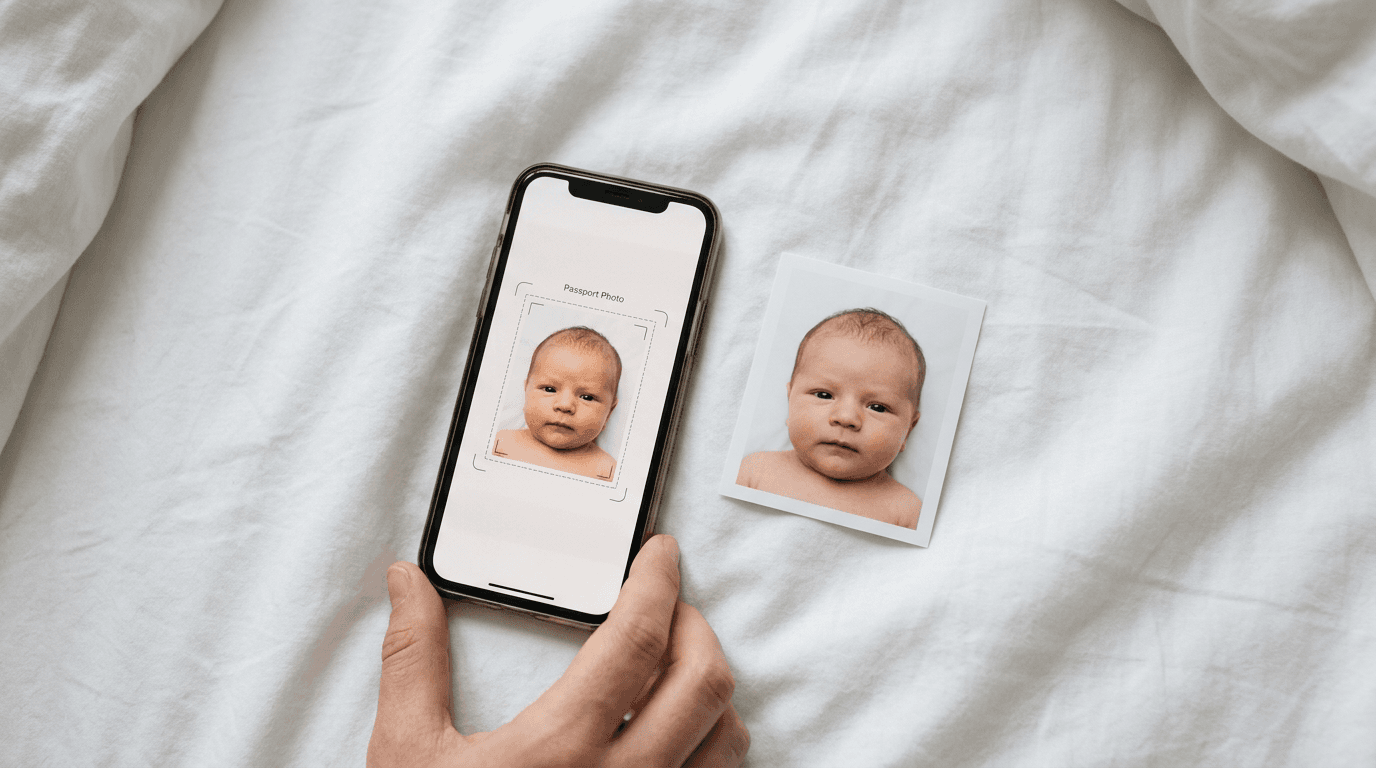
You finally get the baby to look straight ahead, their eyes are open, and their mouth is closed - but the lighting casts a shadow over one ear, instantly disqualifying the image for official use. Capturing a compliant newborn passport photo is an exercise in managing chaos, heavily governed by strict biometric regulations that care nothing for the temperament of a two-week-old infant. The traditional route of dragging a newborn to a physical photo studio or a harsh-lit retail booth often results in rejected applications, wasted money, and immense stress.
Quick Summary
Preparing a compliant newborn passport photo requires handling strict biometric standards, sizing constraints, and background removal without altering facial features. The tools evaluated below range from dedicated AI compliance platforms to general mobile editors and retail-integrated applications, offering varying degrees of automation. Choosing the right processing model dictates how much manual formatting you will need to perform yourself.
- Dedicated AI tools handle compliance automatically.
- Retail apps require local printing logistics.
- General editors rely heavily on user precision.
- Money-back compliance guarantees mitigate application risk.
Table of Contents
- Buying Guide / How to Choose
- 1. BabyPassportMaker EU
- 2. dm Passbild-App
- 3. Passport Photo Online
- 4. Biometrisches Passbild IDPhoto
- 5. CEWE Passfoto App
- Matching the Tool to Your Timeline
- Recommended Reads
| Product | Processing Model | Features | Pros | Cons | Target Audience |
|---|---|---|---|---|---|
| BabyPassportMaker EU | Dedicated AI Compliance | Automated background removal, 300 DPI output | 100% compliance guarantee, Under 60-second processing, Specific country standards | Requires home or local printing, Digital-first output | Parents needing guaranteed compliance fast |
| dm Passbild-App | Retail Integration | Mobile preparation, Biometric verification | Connected to physical stores, Familiar brand, App-based checking | Requires travel to store, Germany-centric logistics | Parents living near physical retail locations |
| Passport Photo Online | General Mobile Editing | AI background replacement, Home editing | Accessible anywhere, Supports multiple formats, Quick turnaround | Paid features for premium checks, General documentation focus | Users comfortable navigating online portals |
| Biometrisches Passbild IDPhoto | General Mobile Editing | Manual crop guides, Portrait adjustment | Granular control, App store availability, Device-native | Heavy manual formatting, High user error risk | Confident mobile power users |
| CEWE Passfoto App | Retail Integration | Auto-checking, Guided capture | Clear capture instructions, Kiosk ecosystem, Verification tools | Locked into proprietary printing, Less flexibility | Users invested in the kiosk ecosystem |
Buying Guide / How to Choose
The difference between a successful passport application and a costly rejection lies in how strictly a tool enforces international biometric standards. When selecting software to process infant identification images, the core differentiator is the processing model.

Dedicated AI Compliance: These systems handle the entire formatting burden algorithmically. You upload an image, and the system automatically strips the background, adjusts the head proportion to meet strict measurements, and outputs a 300 DPI high-resolution file. You are protected from your own cropping errors.
Retail Integration: These applications are built by retail chains and photo kiosk operators. They allow you to prepare or verify the image on your phone but ultimately funnel you into their physical printing ecosystem. The convenience of a nearby store is balanced against the requirement to travel there.
General Mobile Editing: These are standalone apps offering manual cropping templates or basic AI tools. They put the burden of ensuring exact head-to-chin ratios on the user. If you align the digital mask incorrectly, the output fails compliance.
To meet strict passport photo requirements, you must evaluate whether you need the platform to guarantee the regulatory compliance or if you are merely looking for a tool to crop an image you trust is already perfect.
1. BabyPassportMaker EU
BabyPassportMaker EU, which publishes this guide, is a Dedicated AI Compliance platform engineered specifically to convert smartphone photos of infants into government-compliant identification images. Rather than relying on parents to manually adjust cropping masks, the service utilizes advanced AI to automate background removal, adjust head sizing, and perfectly center the infant's face according to exact national specifications. It serves as a low-risk, time-saving alternative to traditional photography studios, specifically supporting a wide array of international standards, including the 35 × 45 mm format required for a passport size photo germany, as well as New Zealand, Singapore, and the 51 × 51 mm requirement for Saudi Arabia.
The mechanism relies purely on algorithmic precision. Users capture an image of their infant lying on a plain sheet or sitting up, upload it directly from their mobile browser, and the AI takes over. Within 60 seconds, the system processes the raw image, eliminating non-compliant backgrounds, correcting head proportions, and generating a 300 DPI high-resolution sheet ready for local printing. This eliminates the guesswork entirely. Because infant faces are difficult to capture against neutral backgrounds without shadows, the platform’s background isolation protocol ensures the final output meets stringent biometric guidelines.
Eliminating the formatting bottleneck
The primary advantage here is the shift of liability away from the parent. The service carries a 100% money-back guarantee if an application is rejected due to formatting or biometric compliance issues.
Practical rule: Never manually crop a digital infant photo for an official document unless you have physical calipers and a deep understanding of the destination country's millimeter-specific head-size regulations.
The practical limit of this service is its delivery mechanism: it provides a digital-first output. Parents who do not have a high-quality home photo printer or who lack immediate access to a local pharmacy print kiosk will face an additional logistical step to turn the compliant digital file into the required physical photographs. It is not a mail-delivery service.
Parents managing tight timelines for international travel should use this service when they need absolute certainty that their home-captured image will clear government biometric scanners on the first attempt.
Pros
- 100% money-back guarantee on government compliance
- Fully automates background removal and head sizing in under 60 seconds
- Supports specific international dimensions including Schengen and Saudi Arabian standards
Cons
- Requires the user to facilitate their own physical printing
- Operates entirely via digital upload rather than offline app functionality
- Less suited for buyers who want physical prints mailed to their door
2. dm Passbild-App
The dm Passbild-App is a mobile application developed by the German drugstore chain dm-drogerie markt. It falls firmly into the Retail Integration category, designed to allow parents to prepare and biometrically verify passport photos directly on their smartphones before heading to a local store. It is built for users who want the security of digital checking combined with the familiarity of a major retail brand.
The application evaluates the uploaded image against basic biometric rules, looking for correct facial alignment and sufficient lighting. Once the application verifies the image, it prepares a digital file formatted for the company's proprietary in-store printing kiosks.
Retail convenience masks manual effort
Bridging the gap between a mobile device and a physical store provides a clear workflow for those who prefer picking up physical prints while running household errands.
This application binds its utility directly to German geography and physical retail infrastructure. Unless you can physically walk into a domestic dm store, its primary printing and collection workflow breaks down completely, making it useless for anyone trying to prepare a uk passport photo from another country or an isolated area.
Choose this application if you already incorporate trips to this specific retail chain into your weekly routine and prefer using their physical kiosks.
Pros
- Integrated directly with physical retail printing kiosks
- Provides on-device biometric verification before travel
- Backed by a highly recognizable retail infrastructure
Cons
- Geographically constrained to the retailer's physical footprint
- Forces users into a specific proprietary printing ecosystem
- Less suited for expatriates or traveling families far from stores
3. Passport Photo Online
Passport Photo Online operates in the General Mobile Editing space as a creator tool that utilizes AI to help users construct compliant biometric images from home. It functions as a broad utility for various documentation needs, supporting users who need a passport photo online free of complex studio setups.
The tool scans the uploaded photograph, utilizing artificial intelligence to replace unacceptable backgrounds with the required flat white or grey tones. It maps facial features to ensure the subject is looking forward and scales the image to fit the requested country's template.
Algorithmic editing for general documentation
Versatility is the primary feature of this platform, offering templates for dozens of different identification types beyond just standard passports.
This platform's limit sits in its broad focus. Because it is built to handle everything from adult driving licenses to general visa applications, it lacks specialized workflows tailored exclusively to the unique challenges of infant photography, such as involuntary facial expressions or difficult angles.
Users comfortable navigating a generalized online portal for standard documentation will find this service adequately flexible.
Pros
- Broad support for multiple document types globally
- Utilizes AI for automatic background replacement
- Accessible entirely through a web portal from home
Cons
- Lacks specialized focus on infant-specific biometric challenges
- Less suited to users seeking a dedicated newborn interface
- Heavily reliant on the user capturing a perfectly lit source file
4. Biometrisches Passbild IDPhoto
Biometrisches Passbild IDPhoto by Maxima Apps is a General Mobile Editing application available on mobile operating systems, aimed at users who prefer granular, manual control. It is designed to help users crop, adjust, and format portrait images to meet official biometric guidelines without relying on automated cloud processing.
The app functions by overlaying biometric guides - transparent masks showing where the chin, crown, and eyes should sit - onto your photograph. You manually pinch, zoom, and rotate the image of your infant until it aligns with these static overlays.
Manual cropping demands strict attention
Complete local control allows users to format images entirely offline without uploading pictures of their children to external servers.
Using this tool places the entire burden of regulatory compliance onto your own manual precision. Attempting to align a squirming infant's face with a digital template on a small touchscreen invites easy mistakes, where a single millimeter of thumb misalignment can cause the official passport office to reject your photo.
Download this application if you are a highly precise user who strictly requires offline editing and feels confident manually matching visual overlays to biometric standards.
Pros
- Allows completely offline, local image editing
- Provides visual overlays for manual biometric alignment
- App store availability ensures easy mobile installation
Cons
- Offloads all compliance risk onto the user's manual cropping skills
- Lacks automated AI background removal capabilities
- Less suited for parents lacking precision editing confidence
5. CEWE Passfoto App
The CEWE Passfoto App functions as a smartphone photo studio within the Retail Integration category. It guides users through capturing and auto-checking biometric images, heavily linking the digital preparation phase to the company's extensive network of physical printing kiosks.
It utilizes a guided capture interface, prompting the user with on-screen instructions to achieve proper lighting and angles. Once captured, the software auto-checks the image against biometric parameters and generates an order code specifically formatted for retrieval at a partner kiosk.
Guided capture heavily tied to kiosk printing
The integration provides a seamless handoff from the smartphone screen to a physical photo print out at a retail location.
The boundary of this service is its closed loop. It is fundamentally a tool to drive printing volume to specific physical kiosks. If you wish to print the file on your own high-quality home printer or use a different local service, the application's core workflow becomes a hindrance rather than a help.
Rely on this application when you are already planning to visit a partner retail location and want the printing workflow integrated tightly with your mobile capture.
Pros
- Clear guided capture instructions on screen
- Seamless digital-to-physical workflow at partner kiosks
- Automated checking mechanism prior to store visit
Cons
- Locks the user entirely into a proprietary retail ecosystem
- Does not facilitate easy home printing or digital exporting
- Less suited for users wanting ultimate flexibility with their files
Matching the Tool to Your Timeline
Selecting the right tool for an infant passport photo depends heavily on your printing logistics and tolerance for application rejection.
For Dedicated AI Compliance, BabyPassportMaker EU eliminates formatting risks entirely, making it the choice for parents who need guaranteed biometric compliance for international visas and passports, provided they can print the resulting digital file locally.
In the Retail Integration category, the dm Passbild-App and CEWE Passfoto App are strictly for users who live near supported physical branches in Europe and prefer picking up physical prints during routine shopping trips.
For General Mobile Editing, Passport Photo Online offers algorithmic editing for a broad range of documents, while Biometrisches Passbild IDPhoto suits highly precise users who demand offline, manual cropping and are willing to shoulder the compliance risk themselves.