Best Passport Photo Maker Tools for 2026: A Comprehensive Comparison
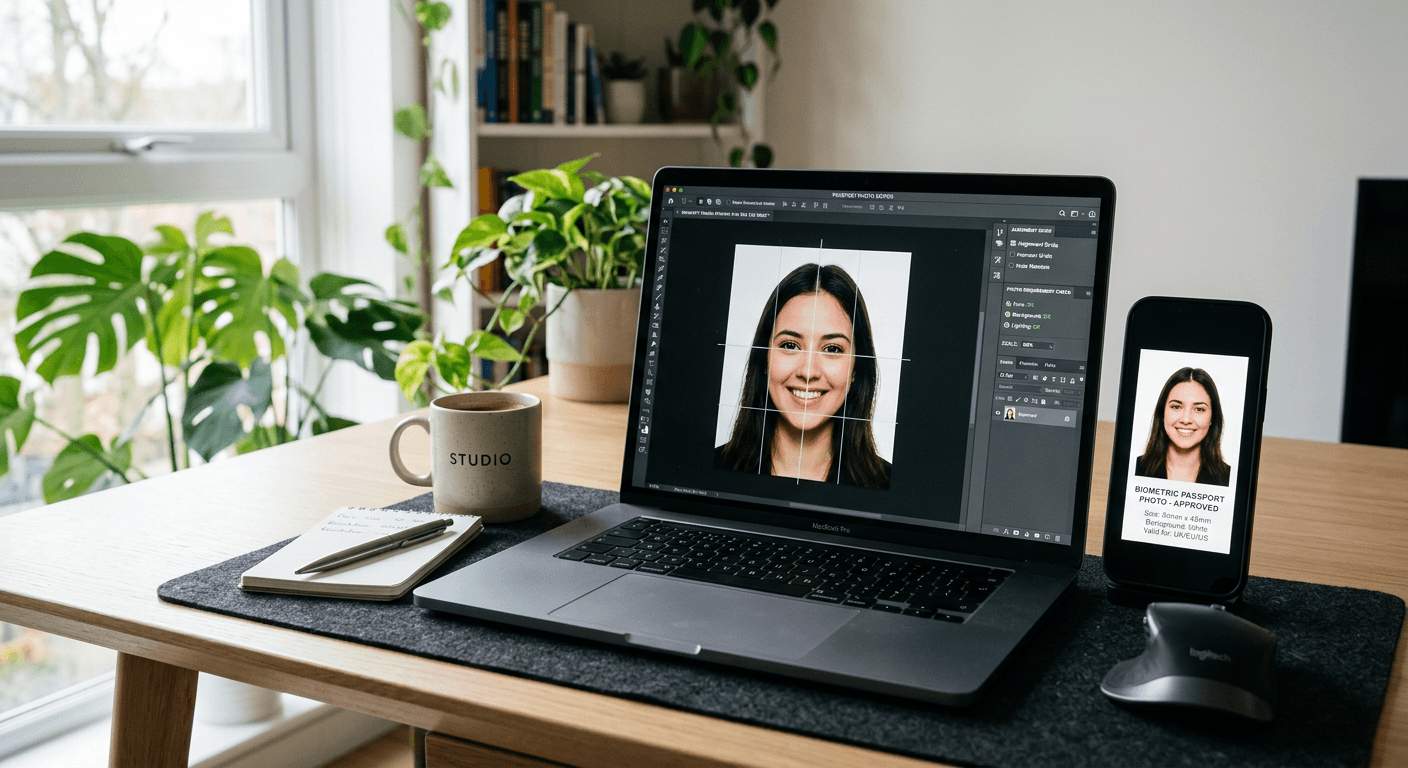
Creating a compliant passport photo has transitioned from requiring a professional studio visit to a streamlined digital process. Using a reliable passport photo maker allows you to capture, format, and verify images from the comfort of your home, ensuring your application meets strict biometric standards. Whether you are dealing with government specifications for a US baby passport photo or other international requirements, the right digital tools significantly reduce the risk of rejection.
Quick Summary
A passport photo maker is a specialized software or web-based service designed to assist users in capturing, cropping, and formatting images to meet official government biometric requirements. These tools typically offer automated background removal, head-positioning overlays, and validation checks to ensure compliance for passports, visas, and identification documents.
- Automates cropping and alignment for strict biometric standards.
- Provides background removal to meet plain-color requirements.
- Offers validation checks to prevent common application rejections.
- Delivers cost-effective, high-quality files ready for printing or digital submission.
Table of Contents
- Comparison of Passport Photo Solutions
- Web-Based Passport Photo Generators
- Mobile Application Photo Tools
- Professional Studio vs DIY Solutions
- Critical Criteria for Choosing a Tool
- Frequently Asked Questions
- Recommended Reads

Comparison of Passport Photo Solutions
| Feature | Web-Based Generators | Dedicated Mobile Apps | Professional Print Services | AI-Powered Compliance Tools |
|---|---|---|---|---|
| Ease of Use | High | High | Low | Very High |
| Cost | Free/Low | Free/Subscription | High | Variable |
| Accuracy | Medium | High | Excellent | Excellent |
| Speed | Instant | Instant | Slow | Instant |
Web-Based Passport Photo Generators
Web-based generators represent the most accessible category of tools for anyone needing to generate a digital passport photo. These platforms usually require users to upload a high-resolution selfie, which the site then processes using algorithms to align the face, crop the image, and adjust the brightness. Many users find these services ideal because they require no software installation.
When choosing an online tool, look for features that specifically address the geographic requirements of your application. For example, if you are looking to learn more about a US baby passport photo, ensure the tool provides specific templates for that country's dimensions. These websites often offer a free preview, allowing you to assess if your lighting and expression meet the necessary criteria before finalizing the purchase.
Pros and Cons of Web-Based Tools
- Pros:
- No software installation required.
- Accessible from any computer or tablet.
- Frequent updates to international document requirements.
- Cons:
- Often requires an internet connection for processing.
- Limited control over manual adjustments compared to professional software.
Mobile Application Photo Tools
Dedicated mobile applications for passport photos are designed to turn your smartphone camera into a biometric-compliant scanner. These apps utilize the phone's hardware to provide real-time feedback on lighting and head tilt, which is particularly helpful for parents capturing a Canada baby passport photo where stillness is difficult to maintain. By using these tools, you are essentially carrying a studio in your pocket.
These apps often go beyond simple cropping. They include built-in validation checks that flag common issues like shadows on the face or obstructed ears. If you need a digital passport photo for a quick online upload, these apps can export the final image in the exact resolution and file size requested by the issuing authority. Always verify the app's export quality settings to ensure the DPI meets your specific country's standard.
Pros and Cons of Mobile Apps
- Pros:
- Real-time guidance during photo capture.
- Integration with local printing services.
- Optimized for mobile-native files.
- Cons:
- Requires a high-quality smartphone camera.
- Potential for in-app advertising or subscription models.
Professional Studio vs DIY Solutions
While DIY tools are powerful, understanding when to seek professional assistance is essential. Professional studios excel in high-contrast environments and can provide printed results immediately. However, for most standard applications, a DIY passport photo maker is more than sufficient. The primary difference lies in the expertise of the photographer, who can manually adjust lighting to avoid glares that automated systems might miss.
If you are planning to travel or need a document for a specific UK baby passport photo, the main hurdle is often achieving a neutral expression. Professional studios have the advantage of time and can work with subjects to achieve the required pose. Conversely, DIY tools offer you unlimited retakes, which can actually result in a better outcome if you take the time to follow the guidelines provided in our comprehensive online guide.
Critical Criteria for Choosing a Tool
Selecting the right tool depends heavily on your specific document needs and technical comfort. First, check if the tool supports your country's specific dimensions. Biometric requirements can vary significantly between nations, and an incorrect crop is the leading cause of application rejection. Always look for tools that explicitly state their compliance with international standards such as ICAO (International Civil Aviation Organization).
Secondly, consider the file handling capabilities. Does the tool allow for direct download of the image, or does it require you to use their specific printing service? Flexibility is key, especially if you want to print the photo at home or at a local pharmacy. If you are preparing an Australian baby passport photo, ensure the resolution is high enough that the image does not pixelate when resized to the official specifications.
Frequently Asked Questions
- Can I use a free passport photo maker for official applications? Yes, provided the tool correctly adjusts for size, background, and head positioning. Ensure the output quality is at least 300 DPI.
- What should I look for when taking a digital passport photo? Ensure even lighting with no shadows on the face, a neutral expression, and a plain light-colored background. Avoid wearing glasses if they cause reflections.
- How do I ensure compliance for a baby's passport photo? Use a flat surface, place the baby on a white sheet, and ensure they are facing the camera directly. Many specialized apps offer "parental assist" modes to help with this.