How to Find Your ID Passport Number on Your Travel Document
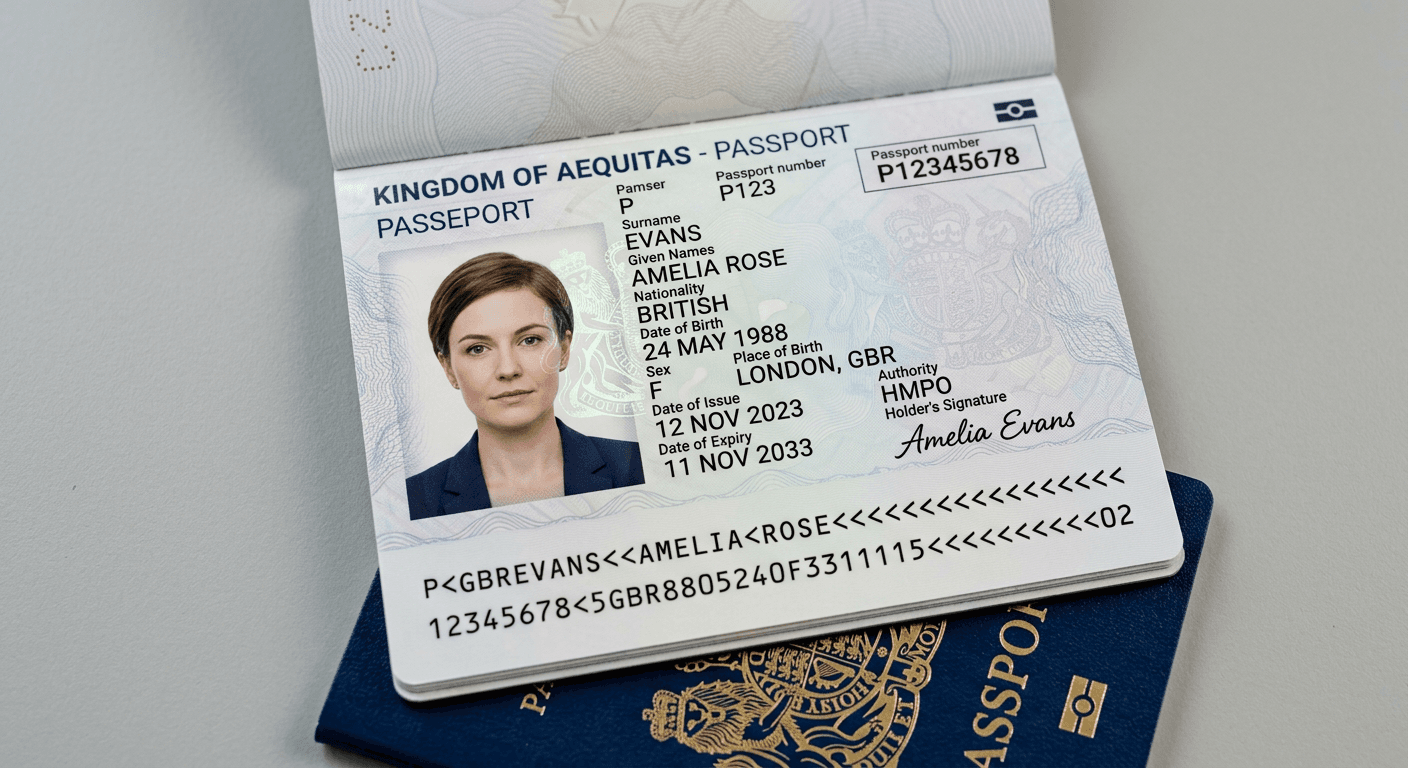
Understanding the specific details of your travel documents is essential for international travel, visa applications, and administrative record-keeping. The primary identifier for most international travel documents is the id passport number, a unique sequence of alphanumeric characters assigned to the holder. Knowing where to locate this information and how it differs from other document numbers ensures accuracy when completing official forms.

Quick Summary
Your passport number is a unique alphanumeric identifier printed on the data page of your travel document. It distinguishes your identity from other holders and is required for flight bookings, visa processing, and entry declarations. Always verify the number against the physical document to avoid data entry errors.
- The identifier is typically found on the top right corner of the data page.
- It is distinct from the document number or personal identification numbers.
- Always double-check characters like '0' and 'O' or '1' and 'I' for accuracy.
- Keep a digital copy of your data page securely stored for emergency reference.
Table of Contents
- Locating the ID Passport Number
- Understanding the Passport Data Page
- Distinguishing Reisepass Passnummer and Ausweisnummer
- Common Pitfalls & Troubleshooting
- FAQ
- Recommended Reads
Locating the ID Passport Number
Finding your id passport number is a straightforward task if you know where to look on your travel document. In almost all modern machine-readable passports, the number is located on the main data page, which contains your photograph and personal details. On most passports, this identifier is printed in the upper right-hand corner of the page, often in a different color or font than the surrounding text to make it stand out. It is essential to ensure you are transcribing the correct sequence, as this number acts as the primary key for your international identity record.
When identifying this number, look for a string of usually 7 to 9 alphanumeric characters. It is important not to confuse this with the machine-readable zone (MRZ) characters found at the very bottom of the page. While the MRZ contains a wealth of encoded data, the passport number itself is clearly labeled on the biographical page and is meant for human reading and manual data entry. Always verify the number digit-by-digit against the official document to prevent issues at border control or during online check-in processes.
Understanding the Passport Data Page
The passport data page is the laminated section of your booklet that holds the biometric information required by authorities. Beyond your full name, nationality, date of birth, and place of birth, this page is designed for high-security verification. The page layout typically follows standards set by the International Civil Aviation Organization (ICAO), ensuring that key identifiers are located in consistent positions regardless of the issuing country.
Beyond the primary identifier, the data page features your photograph and your signature. It often includes security features such as watermarks, microprinting, or UV-reactive inks that are visible under specialized lighting. When providing passport information for visa applications, ensure the data page is clear and the text is legible, as authorities use the information on this page to verify the authenticity of the document against their own digital databases.
Distinguishing Reisepass Passnummer and Ausweisnummer
For applicants dealing with German-issued documents, it is common to encounter the terms reisepass passnummer and reisepass ausweisnummer. While they may sound similar, understanding the distinction is vital for filling out government forms accurately. The Passnummer refers specifically to the unique serial number of the passport booklet, which changes whenever you receive a new passport. In contrast, the Ausweisnummer is often used in the context of a national identity card (Personalausweis).
If you are using a passport for an application, you should focus on the Passnummer. If you are asked for an Ausweisnummer while identifying your passport, double-check if the form is asking for your passport number or a different document's identification. Misidentifying these numbers can lead to application delays or rejection, particularly with automated systems that cross-reference the number with your specific identity profile stored in the issuing authority's registry.
Common Pitfalls & Troubleshooting
One of the most frequent mistakes users make is confusing similar-looking characters. For example, the digit zero (0) and the capital letter O can be easily swapped, as can the digit one (1) and the capital letter I. If a travel system rejects your passport number, the first step is to re-examine the font used on your document and confirm whether you are entering a letter or a number. Most modern passports use a standard typeface to minimize this ambiguity, but checking the physical document remains the ultimate source of truth.
Another common issue involves expiring documents. If you have recently renewed your passport, your old passport number is no longer valid for travel or identification purposes. Always ensure you are using the number from your current, valid document. If you have lost your passport and are waiting for a replacement, do not attempt to use the number from a previous, invalidated document, as it will not match the records held by immigration authorities.
FAQ
Can I find my passport number online if I lost my document? No, official passport numbers are secure data. You must contact your local passport authority or consulate to report a loss and request information on your document status through their official channels.
Is the passport number the same as my visa number? No, these are entirely different. A passport number identifies your travel document, while a visa number refers to a specific authorization to enter or remain in a foreign country.
What should I do if my passport number contains a letter? Many countries include letters in their passport numbering system. Simply enter the alphanumeric sequence exactly as it appears on your data page, including any letters, ensuring case sensitivity is respected if the online form requires it.
Does the passport number change when I renew my passport? Yes. Every time you are issued a new passport booklet, it is assigned a new unique passport number.