How to Get the Perfect Passport Photo Berlin and Meet Germany's Strict Requirements
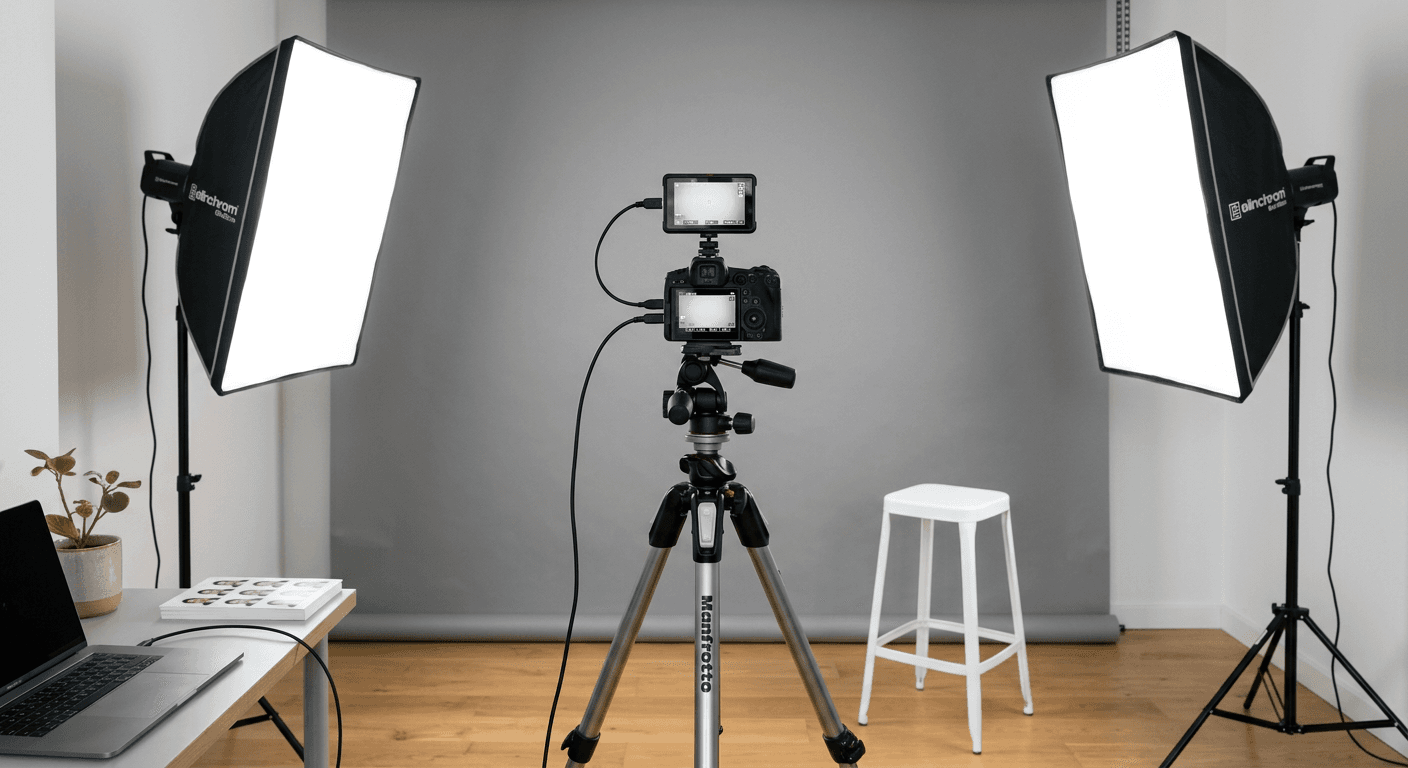
Applying for a passport or ID card in Germany requires precise documentation, with the biometric photograph being one of the most critical components. When navigating the bureaucracy in cities like Berlin, Munich, or Hamburg, ensuring your image meets the stringent federal standards is essential to avoiding processing delays at the Bürgeramt.

Quick Summary
Obtaining a valid passport or identity document in Germany requires a biometric photograph that adheres to specific federal guidelines regarding lighting, positioning, and facial expression. By following official Bundesdruckerei standards for a passport photo Berlin, applicants can ensure their documentation is accepted without administrative friction or rejections.
- Maintain a neutral facial expression with eyes fully open.
- Ensure even lighting without shadows on the face or background.
- Adhere to the exact 35mm x 45mm dimensions for physical prints.
- Verify the contrast between the subject and the neutral gray background.
Table of Contents
- Understanding German Biometric Requirements
- Choosing Between Professional and DIY Approaches
- Step-by-Step Guide to Taking a Compliant Photo
- Common Pitfalls and Troubleshooting
- FAQ
- Recommended Reads
Understanding German Biometric Requirements
German authorities strictly enforce biometric standards set by the Bundesdruckerei. Whether you are seeking a passport photo Berlin or elsewhere, the regulations remain uniform across all federal states. A compliant photo must be recent, typically taken within the last six months, and provide a clear, undistorted representation of the applicant's current appearance. Any deviation from these rules, such as obscured ears or improper head tilt, often results in the immediate rejection of your application.
The technical specifications for a passport size photo germany require a size of 35mm wide by 45mm high. The face must occupy between 70% and 80% of the image height, measured from the chin to the top of the head. The background must be neutral gray, providing sufficient contrast to the subject's hair and skin tone, and the lighting must be uniform, eliminating shadows behind the head or on the face.
Choosing Between Professional and DIY Approaches
Applicants have two primary options when preparing their documentation: visiting a professional photo studio or using a self-service solution. Professional photographers specialize in capturing the specific geometric alignment required for government documents. They handle the lighting, backdrop, and editing, which minimizes the risk of human error during the submission process.
Alternatively, some residents choose to capture a foto personalausweis selber machen using a high-quality smartphone or camera. This approach requires a meticulous eye for detail. While it offers flexibility and potential cost savings, it demands that the user understands how to manage ambient light and perspective to avoid the 'fisheye' distortion commonly caused by mobile lenses when held too close to the face. If you opt for this route, ensure you are using software or services that verify your image against biometric templates.
Step-by-Step Guide to Taking a Compliant Photo
- Prepare the Environment: Find a location with consistent, indirect natural light. Avoid using a flash, as it creates harsh shadows on the wall behind you. Use a plain, light-gray wall as your backdrop.
- Positioning: Stand approximately 1.5 meters from the camera. Ensure the lens is at eye level. Avoid looking up or down, as this distorts the biometric markers the authorities look for.
- Facial Expression: Keep your mouth closed and your expression neutral. Even a subtle smile can be flagged as non-compliant because it alters the symmetry of the face.
- Framing: Use the 35mm x 45mm ratio. Ensure your hair, ears, and chin are fully visible within the frame. If you have long hair, it should be tucked behind the ears or pinned back to ensure the face shape is clear.
- Digital Formatting: If you require a foto für personalausweis digital, ensure the final file is saved in the correct resolution and file format as specified by your local municipal office. Most authorities require a clear, uncompressed JPEG file if uploading via official portals.
Pro Tip: When taking your own photo, use a tripod or prop your phone up against a steady surface. Handheld photos often suffer from micro-movements that blur the image, making it ineligible for biometric scanning.
Common Pitfalls and Troubleshooting
The most frequent reason for rejection at a Bürgeramt is improper lighting. If your photo has a shadow cast on the background, the biometric software will fail to isolate your head from the environment. Similarly, many applicants fail because their glasses obscure their eyes. If you wear glasses, ensure there is absolutely no reflection on the lenses; otherwise, take the photo without them.
Another common mistake involves head coverings. With the exception of religious or medical requirements, your head must be uncovered. Even with religious headwear, the face must be visible from the chin to the hairline. If your application is rejected, always ask for the specific feedback provided by the clerk, as it will point to whether the issue was with the resolution, the background contrast, or the facial positioning.
FAQ
Can I wear glasses in my German passport photo? You may wear glasses, but they must not cause any reflection, and the frames must not obscure your eyes. The eyes must be clearly visible through the lenses.
Is a black and white photo acceptable? No, German passport and ID regulations strictly require high-quality color photographs. Black and white images will be rejected.
What if my baby needs a photo? Infant photos follow different allowances for positioning, but the background and lighting rules remain just as strict. Refer to resources for Germany baby passport photo to ensure compliance for young children.
Do I need a digital copy for my application? While physical prints are the standard, many offices now accept digital uploads. Check your local city's appointment portal to see if they offer an online upload service for your EU & International Baby Passport Photo Requirements & Guides or adult identification documents.