How to Navigate a deutschen pass beantragen online: 6 Platforms Compared
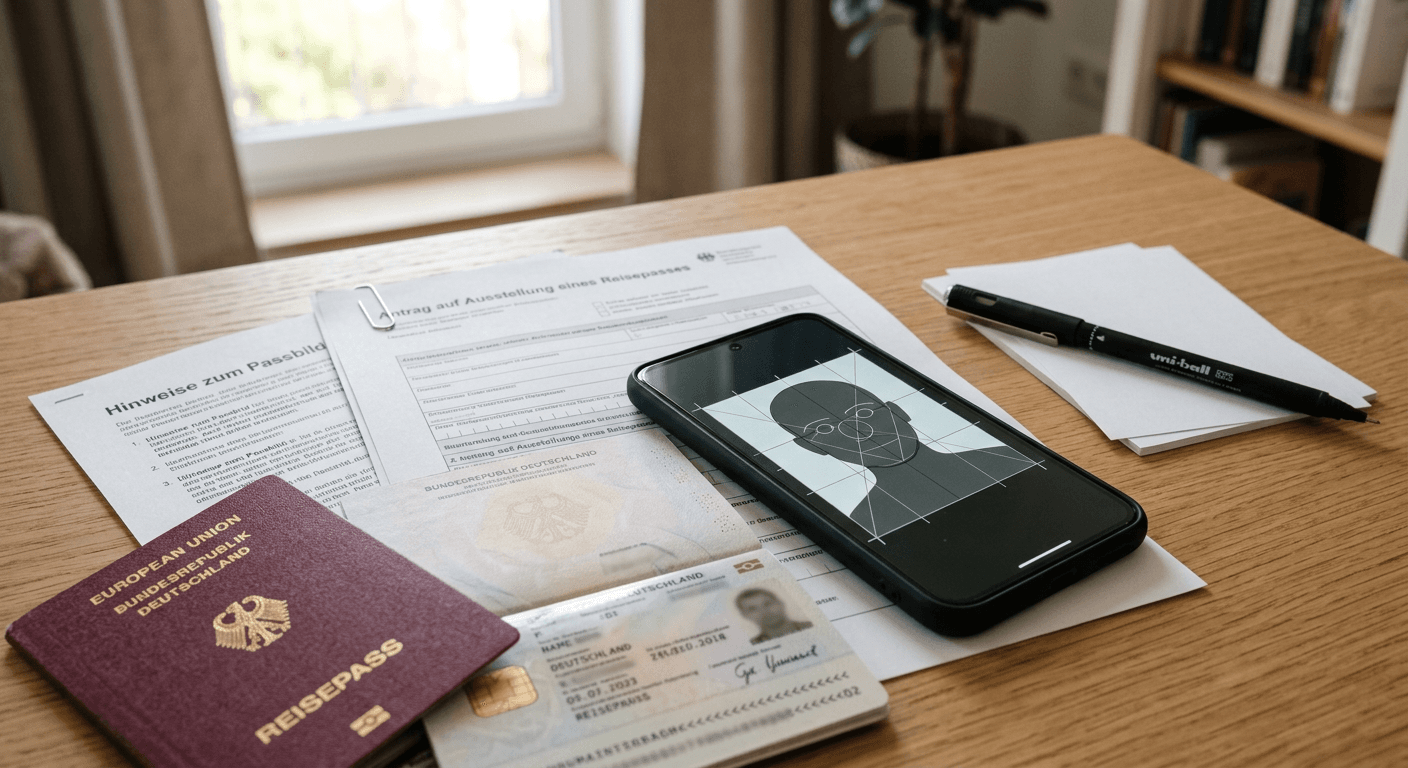
A parent arrives at the local registration office fifteen minutes early for a passport appointment that took three months to secure. They carry the printed forms and a smartphone containing the digital application receipt. When they reach the counter, the clerk asks for the biometric photo. The applicant points to the digital confirmation, assuming the online portal handled the image requirements. The clerk shakes their head, rejects the application, and tells them to book another slot for next quarter. 'The system accepted my application' is not a diagnosis - the disconnect between digital forms and physical biometric capture derails thousands of applications, and navigating a deutschen pass beantragen online requires understanding exactly where the digital process stops and the physical requirements begin.
Quick Summary
Managing German travel document applications requires bridging online forms with strict physical biometric standards. While several platforms attempt to digitize this workflow, most rely on physical infrastructure to finalize the process. Choosing the correct platform depends entirely on the applicant's location, age, and ability to visit a compliant terminal or certified studio.
- Consular portals digitize the paperwork but still mandate physical embassy visits for biometric capture.
- Certified studio networks offer secure digital transmission but charge professional rates.
- Municipal self-service terminals fail when processing infants or toddlers who cannot stand alone.
- Retail printing apps introduce manual compliance risks because they rely on user judgment for lighting and contrast.
Table of Contents
- A deutschen pass beantragen online exposes the gap between digital portals and physical biometrics
- How local integration fragments the digital application process
- 1. German Consular Services Portal
- 2. Alfo Passbild
- 3. Bonn Municipal Photo Service Providers
- 4. Munich Digital Passport Photos Network
- 5. Berlin Digital Photos for Residence Documents
- 6. dm Passport Photo App
- Choosing infrastructure over convenience dictates the outcome
- Match the platform to your geographic reality
- Recommended Reads
A deutschen pass beantragen online exposes the gap between digital portals and physical biometrics
| Platform | Mechanism | Pros | Cons | Target Audience |
|---|---|---|---|---|
| German Consular Services | Official government web portal | Direct embassy integration | Requires in-person consulate visit | Expatriates and citizens abroad |
| Alfo Passbild | Cloud-token studio network | Cryptographically secure transfer | High professional studio fees | Applicants prioritizing security over cost |
| Bonn Municipal Providers | Direct local server upload | Eliminates physical prints | Geographically restricted to Bonn | Local Bonn residents |
| Munich KVR Terminals | Self-service biometric booths | Captures prints and signature together | Unusable for infants or young children | Adult applicants in Munich |
| Berlin LEA Terminals | Automated immigration booths | Immediate file transmission | Long queues and machine downtime | Visa and residence permit applicants |
| dm Passport Photo App | Smartphone capture to retail print | Accessible from home | Relies on manual lighting and alignment | Budget-conscious adult applicants |
How local integration fragments the digital application process
Evaluating these platforms requires separating the administrative data layer from the biometric data layer. The criteria that matter are not the user interface of the app, but how the platform transmits the biometric data to the Federal Printing Office (Bundesdruckerei). A platform is only as useful as its final integration point. If an app generates a perfect digital file but the local registration office (Bürgeramt) only accepts paper prints or secure cloud tokens, the digital workflow breaks. The platforms listed below are evaluated on their mechanism of transmission, their reliance on physical infrastructure, and their strict limits regarding applicant demographics - particularly the rigid constraints that cause infant applications to fail at the counter.
1. German Consular Services Portal
The Consular Services Portal operates as the official digital gateway for German citizens residing outside the federal territory who need to apply for or renew their travel documents. It allows applicants to register via their BundID, fill out the extensive application forms, upload preliminary supporting documents, and pay the requisite administrative fees online before ever stepping foot in a diplomatic mission.
The mechanism focuses strictly on administrative pre-processing. When an applicant submits their data through digital.diplo.de, the system validates the application against civil registry records and schedules an appointment. It acts as a routing system, taking the burden of manual data entry off the consular staff and pushing it to the applicant. The platform secures the connection using federal eID protocols, ensuring that the identity of the person submitting the online form matches the data held on the physical identity card.
Global access still requires a physical consulate visit
The honest limit of the Consular Services Portal is its inability to ingest final biometric data remotely. You cannot finalize a passport application from your living room. Because federal law requires live fingerprinting, a wet signature, and verification of the biometric photograph against the physical applicant, the digital portal merely acts as a reservation system for a physical workflow. Expatriates living in remote areas often assume the online portal saves them a trip, only to find they still face a five-hour drive to the nearest consulate. The portal explicitly excludes the remote capture of fingerprints. If your primary constraint is geographic distance from a diplomatic mission, this portal will not solve your problem; it will only streamline the paperwork you carry with you on the journey.
- Pros:
- Eliminates manual paperwork errors before the appointment.
- Integrates directly with federal civil registry databases.
- Provides clear, step-by-step document checklists based on residency status.
- Cons:
- Does not accept remote biometric submissions.
- Strict session timeouts force users to restart complex form entries.
- Availability of appointment slots remains tied to physical embassy staffing.
2. Alfo Passbild
Alfo Passbild operates a commercial network of certified professional photographers stationed across Germany, designed to bypass the vulnerabilities of physical photo prints. Instead of handing the applicant a paper sheet that could be damaged or altered, the service acts as a secure digital bridge between the photography studio and the local municipal software.
The core mechanism relies on a cryptographically secured cloud token. When the photographer captures the image, the Alfo software crops and formats it to the exact federal biometric specifications. The studio then uploads the encrypted file to a central server and generates a unique alphanumeric code or QR token. The applicant takes this token to the Bürgeramt. The municipal clerk types the code into their terminal, which pings the Alfo server, pulls down the verified digital image, and injects it directly into the passport application workflow. This workflow provides a reliable way to passbild digital übermitteln without the applicant ever possessing the raw digital file.
Studio networks solve the transmission gap at a premium
The honest limit of this system is its complete dependence on commercial studio operating hours and pricing models. Alfo Passbild requires the applicant to travel to a specific, certified photographer, paying premium professional rates for an image that will only be used once. It does not suit busy parents who need to photograph an uncooperative toddler outside of standard business hours, nor does it serve rural residents who live far from participating studios. If you lack the time or budget to book a dedicated photography session, or if your local municipality has not enabled external digital retrieval in their specific IT system, purchasing a cloud token is a waste of capital.
- Pros:
- Eliminates the risk of a clerk rejecting a physical print for smudges or poor paper quality.
- Guarantees the image meets the Federal Printing Office's dimensional standards.
- The digital file is stored securely and deleted after retrieval.
- Cons:
- Demands physical travel to a participating studio.
- Incurs professional photography fees on top of standard application costs.
- The retrieval token expires, forcing a reshoot if the government appointment is delayed.
3. Bonn Municipal Photo Service Providers
The city of Bonn maintains a specific localized network of approved photo service providers designed to integrate exclusively with the city's internal administration systems. This initiative aims to modernize the application process for local residents by linking neighborhood businesses directly to the municipal servers.
The mechanism is essentially a localized version of a cloud token system, but restricted to city infrastructure. Participating businesses in Bonn are given direct access protocols to the city's registration database. When a resident visits one of these specific providers, the studio captures the biometric data and routes it through a dedicated municipal portal. The image sits on the city's servers waiting for the resident's appointment. The clerk accesses the file using the resident's name and appointment ID, completely removing third-party cloud hosting from the final retrieval step.
Deep municipal integration isolates non-residents
The honest limit of this system is its rigid geographic boundary. The integration ends at the city limits. An applicant who works in Bonn but resides and registers in neighboring Cologne cannot use this service, as the Cologne administration has no access to Bonn's internal servers. Furthermore, the system relies heavily on the technical uptime of the municipal servers; if the city's IT infrastructure experiences an outage, the local studios cannot upload the images, leaving applicants stranded. Anyone applying for a visa or document outside of the specific Bonn municipal jurisdiction should skip this network entirely.
- Pros:
- Removes the need to carry physical tokens, QR codes, or prints.
- Data stays entirely within local government servers once uploaded.
- Reduces processing time at the counter for Bonn residents.
- Cons:
- Strictly limited to the municipal boundaries of Bonn.
- Vulnerable to local government IT outages.
- Offers a very narrow selection of participating photography studios.
4. Munich Digital Passport Photos Network
Munich operates a highly automated network of digital passport photo terminals stationed directly inside the Kreisverwaltungsreferat (KVR) and various neighborhood Bürgerbüros. These self-service machines aim to consolidate the entire biometric capture process into a single interaction immediately preceding the administrative appointment.
The mechanism is hardware-driven. The applicant steps into a specialized booth that acts as a secure, closed-loop capture station. The machine uses ultrasonic sensors to detect the applicant's height, adjusts the camera automatically, and uses on-screen templates to enforce proper head alignment. Once the photo is captured, the terminal also records the applicant's digital signature and live fingerprints. This entire biometric package is then transmitted via a closed local area network directly to the clerk's desk. When the applicant's queue number is called five minutes later, the clerk already has the fully compliant file ready for the federal system.
Self-service terminals fail when applicants cannot pose
The honest limit of the Munich terminal network is behavioral and physical restriction. These machines are engineered for cooperative, average-sized adults. They require the user to stand perfectly still on designated footprints, stare blankly into a lens at a specific height, and maintain a neutral expression. They are entirely useless for infants, toddlers, or individuals with certain mobility constraints. A parent attempting to hold a baby up to the camera will trigger the machine's background sensors, resulting in an automatic rejection. For families, this means arriving at the KVR only to realize they must leave the building, find an external studio that understands German infant biometric photo requirements, and forfeit their appointment slot.
- Pros:
- Consolidates photo, signature, and fingerprint capture into one session.
- Zero risk of file loss, as transmission happens on a closed municipal network.
- Costs are often lower than visiting a commercial professional studio.
- Cons:
- Physically impossible for infants or young children to use.
- High risk of missing the appointment if the terminal queue is long.
- No option to review or edit the image beyond a basic retake.
5. Berlin Digital Photos for Residence Documents
The Landesamt für Einwanderung (LEA) in Berlin manages a specialized set of photo capture terminals dedicated to residence permits, visas, and immigration documents. Because immigration procedures require flawless biometric tracking, the LEA actively discourages applicants from bringing external paper prints, funneling them instead toward these in-house capture stations.
These machines function by capturing the ausweisbild online directly into the immigration office's secure database. The mechanism prioritizes speed and security over user experience. The terminal strictly checks the facial proportions against federal biometric algorithms before allowing the submission to proceed. Because the LEA processes thousands of applications daily, the closed-network transmission ensures that no manipulated or AI-generated faces enter the immigration system. The terminal stamps the digital file with a time and location hash, proving the applicant was physically present in the building when the image was taken.
On-site biometric capture limits application flexibility
The honest limit here is extreme physical congestion. Because the LEA processes the entire expatriate and immigrant population of Berlin, the queues for these specific terminals often stretch out the door. Applicants are instructed to arrive 15 to 30 minutes before their official appointment just to navigate the photo terminal line. If the machine breaks down - a common occurrence given the high throughput - the entire digital workflow halts, and applicants are forced to scramble for physical prints at a nearby train station booth. If you cannot afford unpredictable delays on the day of your appointment, relying solely on the in-house LEA terminals is a massive operational risk.
- Pros:
- Direct integration with the federal immigration database.
- Prevents rejection at the counter due to incorrect image formatting.
- Time-stamped capture adds a layer of identity verification.
- Cons:
- Subject to severe queuing and frequent hardware downtime.
- Confined to the operating hours of the immigration office.
- Provides no digital copy for the applicant to keep for future use.
6. dm Passport Photo App
The dm Passport Photo App, powered by the CEWE printing network, offers a hybrid approach to document preparation. It allows users to manage the front-end capture on their own hardware while utilizing a nationwide retail footprint for the final output. It is marketed toward budget-conscious citizens who want to handle the process on their own time.
The mechanism relies on smartphone camera sensors combined with a guided application interface. The user downloads the app, selects the passport photo option, and uses an on-screen overlay to position a foto personalausweis selber machen. The app checks for basic framing and head proportions. Once the user approves the image, the file is transmitted over the internet to the CEWE printing servers. The applicant then walks into any dm retail store, enters an order code at the Kodak/CEWE kiosk, and the machine prints the photo on certified biometric grid paper.
Retail printing introduces manual compliance risks
The honest limit of the dm app is its inability to control ambient variables. The app provides a template, but it cannot fix harsh shadows, incorrect lighting, or a background that is not purely white or light gray. The printing kiosk will faithfully print whatever file you send it, meaning the applicant assumes 100% of the compliance risk. You can successfully print a sheet of photos, pay the retail fee, and still face rejection at the Bürgeramt because one side of the applicant's face was slightly shadowed by a living room window. This platform is ill-suited for anyone who lacks a well-lit, neutral environment, or who does not deeply understand the federal biometric lighting requirements.
- Pros:
- Allows image capture in a comfortable, familiar environment.
- Highly cost-effective compared to professional studio rates.
- Thousands of retail pickup locations across the country.
- Cons:
- Passes the burden of lighting and background compliance entirely to the user.
- Still results in a physical paper print, which some modern municipal workflows are phasing out.
- Provides no direct digital transmission to the registration office.
Choosing infrastructure over convenience dictates the outcome
When evaluating a platform for document applications, the deciding factor is never the user interface; it is the physical infrastructure the platform relies on. A perfectly designed smartphone app is useless if the final output is a low-resolution print that fails a scanner check. Conversely, a secure government terminal is useless if the applicant cannot physically reach the building or stand still inside the booth.
First, assess the final integration point. If your local registration office demands a cloud token, your only viable path is a certified professional network like Alfo Passbild. If your municipality accepts physical prints, hybrid retail solutions become viable, provided you can guarantee the lighting and background conditions yourself.
Second, evaluate the applicant. Adult applicants with flexible schedules can rely on municipal self-service terminals in cities like Munich and Berlin. However, infants and toddlers fundamentally break automated hardware booths. For young children, the choice is strictly binary: pay premium rates for a professional photographer who knows how to pose a baby, or use specialized at-home capture tools that strip out the background and enforce compliance before a print is ever made.
Match the platform to your geographic reality
Do not select a workflow based on how modern it looks; select it based on the constraints of your appointment.
If you live in Munich and are renewing your own adult identity card, skip external studios entirely, arrive twenty minutes early, and use the KVR terminal to capture everything at once. If you are an expatriate applying for a child's passport at a distant consulate, rely on the Consular Services Portal for the administrative paperwork, but source a highly compliant physical photo before you make the journey, as the embassy will not have automated terminals for infants. If you prioritize security and are willing to pay for it, leverage the Alfo Passbild network to ensure the data moves cleanly from the camera lens to the federal registry without ever touching paper.