Mastering the Passport Photo Format for 2026
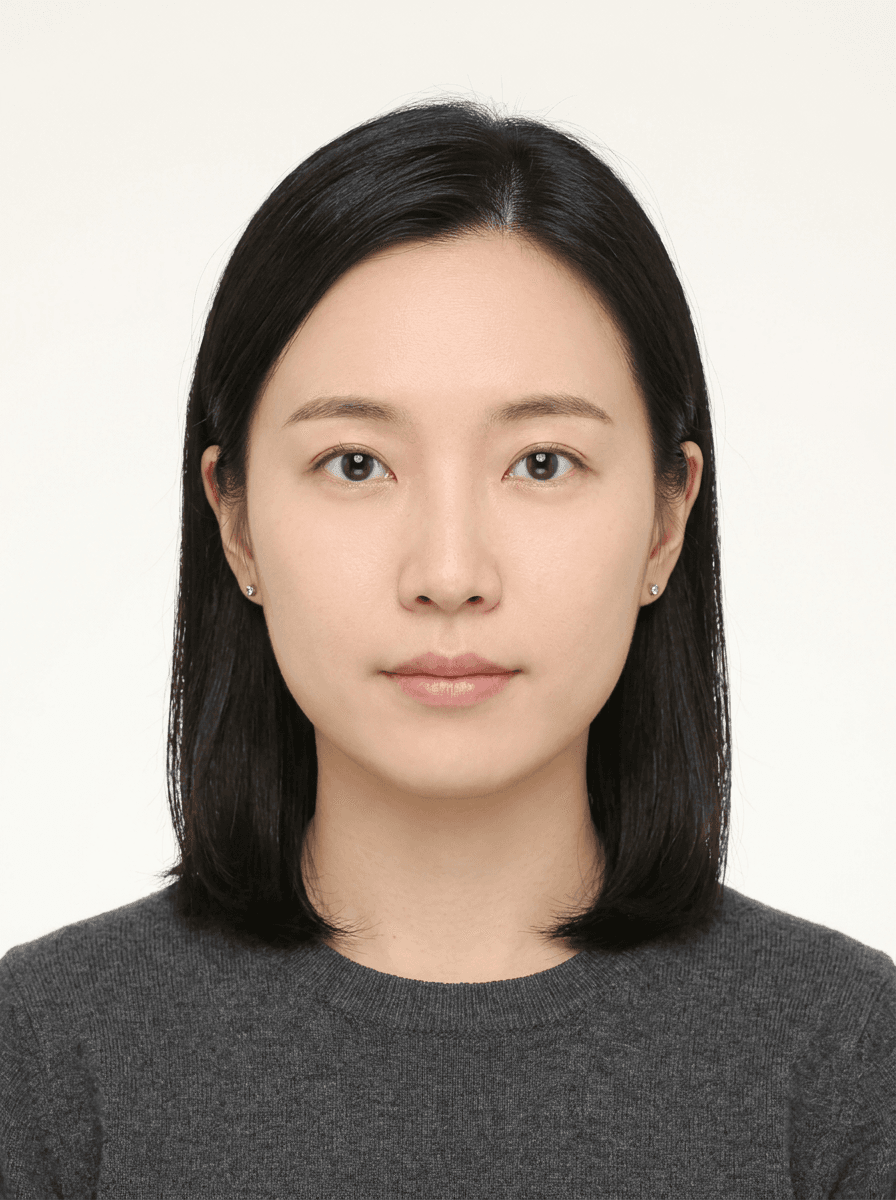
Capturing a professional-grade passport format photo requires meticulous attention to detail to ensure your application passes automated government scrutiny. As requirements for biometric verification evolve, maintaining compliance with the correct passport size photo dimensions and lighting standards is critical to avoiding processing delays. By understanding the technical nuances of your specific country's regulations, you can ensure your image meets the required passport size specifications for 2026.
Quick Summary
A compliant passport format photo must adhere to precise height and width ratios, neutral expression guidelines, and high-resolution quality standards required for biometric scanning. Correct framing and uniform lighting are essential to ensure the image meets the official passport image size mandates and prevents rejection during the document verification process.
- Use a plain, light-colored background without shadows.
- Ensure the head occupies 70% to 80% of the total vertical frame.
- Maintain a neutral expression with eyes open and looking at the camera.
- Verify the digital pixel resolution aligns with the specific passport picture size requested by your local authority.
Table of Contents
- Understanding Passport Photo Dimensions
- Technical Requirements for Passport Image Size
- Step-by-Step Guide to Capturing Your Photo
- Common Pitfalls and Troubleshooting
- Frequently Asked Questions
- Recommended Reads

Understanding Passport Photo Dimensions
Every sovereign nation enforces its own passport size regulations, which often vary significantly between jurisdictions. While many nations follow the international ICAO standard, the exact physical dimensions for a passport size photo can range from 35mm x 45mm to 2 inches x 2 inches. Failing to meet these specific requirements is the leading cause of application rejection, as automated systems rely on specific facial coordinates to verify identity.
When preparing your application, you must distinguish between physical print dimensions and digital file properties. A digital file needs enough pixel density to produce a high-quality physical copy without pixelation. If you are preparing images for international travel, you can consult specific guidance such as US baby passport photo requirements to see how dimension ratios change depending on the age and physical stature of the applicant, even within standardized frame sizes.
Technical Requirements for Passport Image Size
The passport image size is not just about the external borders of the frame; it is about the internal geometry of your features. Most authorities mandate that the head, from the crown to the chin, must occupy a specific percentage of the total height. If the head is too large, the image appears distorted; if it is too small, the software may struggle to isolate your biometric markers from the background.
Additionally, file compression settings matter. A high-resolution JPEG is typically the required format for digital submissions. You should avoid heavy compression, which introduces digital noise or "artifacts" around the edges of the hair and jawline. For instance, when looking at the UK baby passport photo guidelines, you notice that clear contrast between the subject and the background is non-negotiable for biometric recognition, reinforcing why image quality is as important as the frame size itself.
Step-by-Step Guide to Capturing Your Photo
- Establish the Environment: Find a room with consistent, diffuse lighting. Natural daylight from a north-facing window is ideal, as it eliminates harsh shadows. Avoid backlighting, which causes the subject to appear as a silhouette.
- Position the Subject: Ensure the person is standing at least one meter away from the wall to prevent shadows from falling onto the background. The wall must be plain white or off-white, free of patterns or textures.
- Align the Camera: Place the camera at eye level. Do not tilt the camera upward or downward, as this causes distortion of the facial features, which can confuse facial recognition software. If you are learning how to manage these nuances, the professional guide to passport photos provides excellent context on standard alignment protocols.
- Capture the Expression: Maintain a neutral expression with the mouth closed. Your eyes must be fully visible and unobstructed by hair or glasses. If you have questions about specific regional compliance, looking at the Canadian baby passport photo standards can help you understand how to manage subjects who may struggle to maintain a perfectly neutral pose.
- Crop and Resize: Use image editing software to crop the image according to your country's specific passport picture size guidelines. Ensure the top of the head is at the correct distance from the upper edge, and the eyes are centered horizontally.
Pro Tip: Never use filters, "beauty mode," or retouching software to remove blemishes or change skin tone. Automated scanners interpret post-processing as an attempt to alter your identity, which will result in an immediate rejection.
Common Pitfalls and Troubleshooting
The most frequent issue is the "shadow problem." Even a faint shadow on the wall behind the subject can invalidate a photo. To fix this, move the subject further from the wall or use a secondary light source to fill the shadowed area evenly. Another common error is wearing glasses; while some countries allow them, most now prohibit them to eliminate glare on the lenses.
Finally, monitor your file size and aspect ratio. If you attempt to scale a low-resolution thumbnail to the required passport format photo dimensions, the result will be blurry. Always shoot at the highest possible resolution your camera provides and then downsample during the final export process. Ensure that your final file adheres to the specific file size limits (usually measured in KB or MB) if you are uploading the photo to a government portal.
Frequently Asked Questions
Can I take a passport photo with my smartphone? Yes, modern high-end smartphones are capable of capturing high-quality images. However, you must ensure the lighting is perfect and the camera is held at the correct height to avoid perspective distortion.
What is the standard passport image size in pixels? It varies by country. For example, a 2x2 inch photo often requires 600x600 pixels or higher to be considered acceptable for digital submission. Always check the official government website for the exact pixel density required.
Do I need a professional photographer? While professionals are helpful, it is not strictly necessary if you have a controlled environment, good lighting, and the ability to crop the image precisely according to official guides.
Can I wear headwear in my passport photo? Headwear is generally only permitted for religious or medical reasons, and even then, it must not obscure any part of your facial features from the bottom of your chin to the top of your forehead.