Top Digital Passport Photo Makers for Biometric Compliance in 2026
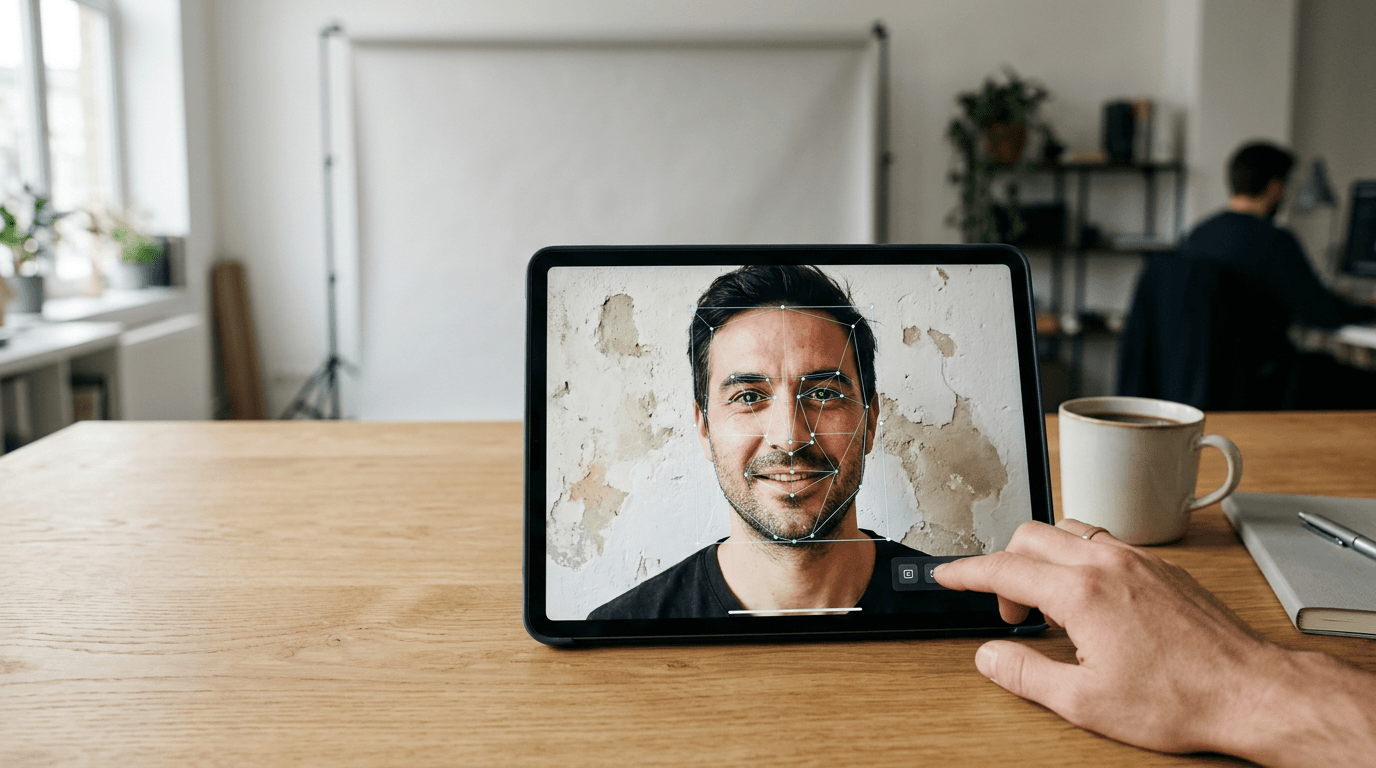
A rejected passport photo means a delayed application, another trip to a photographer, and more waiting. For new parents, expatriates, and frequent travelers, securing a compliant digital passport photo is often the most stressful part of applying for official documents. Biometric standards are unforgiving: shadows, incorrect proportions, or the wrong background color will cause a rejection. The right tools process these images to meet exact government specifications without requiring a studio visit.
Quick Summary
A digital passport photo maker automatically adjusts images to meet specific biometric requirements for official identification documents. The best tools handle background removal, cropping, and compliance checks, saving applicants time and reducing the risk of rejection.
- Automated formatting: Ensures the correct head-to-crown ratio and dimensions.
- Background replacement: Changes uneven backgrounds to the required solid color.
- Compliance verification: Reduces the risk of rejection by checking against biometric standards.
Table of Contents
- Buying Guide: Choosing a Digital Passport Photo Tool
- 1. BabyPassportMaker
- 2. dm Passbildservice
- 3. PersoFoto
- 4. PhotoGov
- Matching the Tool to the Applicant
- Recommended Reads
| Tool | Processing Method | Features | Pros | Cons | Target Audience |
|---|---|---|---|---|---|
| BabyPassportMaker | Automated Service | AI background removal, 100% refund guarantee, country-specific sizing | Biometric focus, risk-free guarantee, specialized for infants | Digital output only, requires local printing, not for generic editing | Parents and travelers needing strict compliance |
| dm Passbildservice | In-Store/App Hybrid | App upload, in-store pickup, biometric templates | Accessible locations, physical prints, established retailer | Requires store visit, limited specialized AI, potentially slower workflow | Shoppers looking to combine errands with a passfoto machen in der nähe |
| PersoFoto | Manual Adjustment | Online generator, cropping tools, biometric alignment | Free basic digital option, straightforward interface, browser-based | Relies on user accuracy, lacks advanced AI, manual background work | Budget-conscious adults comfortable with manual editing |
| PhotoGov | Automated Service | AI editing, official formatting, auto-cropping | Automated process, covers multiple standards, fast results | Variable accuracy on complex backgrounds, lacks physical locations, generalized support | Users needing quick digital formatting for standard applications |
Buying Guide: Choosing a Digital Passport Photo Tool
Not all photo tools are created equal when it comes to biometric compliance. The core difference lies in the Processing Method: how the tool achieves the required standard. We classify these tools into three categories:
- Automated Service: Uses AI to handle background removal, sizing, and alignment without user intervention. Best for ensuring strict compliance.
- In-Store/App Hybrid: Combines digital upload with physical retail locations for printing. Suits those who need immediate hard copies and prefer physical stores.
- Manual Adjustment: Provides digital overlays and cropping tools, but relies on the user to align the image correctly. Fits users looking for a basic passport photo online free of charge.
BabyPassportMaker, which publishes this guide, is one of the options below. We evaluate tools based on their ability to handle strict biometric standards, their usability, and the level of risk they carry for the applicant.
Practical rule: Always check if a service offers a guarantee against rejection. A tool that leaves the financial risk entirely on the user is less reliable for official applications.
1. BabyPassportMaker
Taking a compliant photo of a newborn is notoriously difficult, as they cannot sit up or follow instructions. BabyPassportMaker is an Automated Service designed specifically to solve this problem, converting smartphone photos into government-compliant images for passports and visas.

The platform uses specialized AI to process the image. Users snap a photo of their child and upload it. The system automatically removes the background, replacing it with the correct solid color. It then adjusts the head-to-crown ratio, centers the face, and formats the image to meet the specific requirements of the target country, whether that is a 35×45 mm size for Germany or a 51×51 mm size for Saudi Arabia.
Built for infant biometric compliance
What sets this tool apart is its compliance guarantee. If the official authority rejects a photo processed by the platform due to formatting or biometric errors, the service provides a full refund. This shifts the risk away from the parent.
The practical limit of this service is its output format. It provides a digital file ready for printing, meaning users must handle the physical printing themselves at a local pharmacy or print shop. It does not ship physical photos to your door.
This tool is the best choice for parents who need certainty that their child's photo will be accepted and who prefer a risk-free digital workflow.
Pros
- 100% money-back guarantee against official rejection
- AI specialized in handling infant photo challenges
- Formats precisely for multiple international standards
Cons
- Requires the user to arrange local printing
- Focused strictly on official documents, not casual portraits
- Requires a decent initial smartphone photo for best results
2. dm Passbildservice
Many applicants prefer to handle their photo needs while running other errands. The dm Passbildservice is an In-Store/App Hybrid offered by the German drugstore chain dm-drogerie markt.
Users can either use an app to prepare their photo or utilize terminals within the physical store. The system provides basic biometric templates to help align the face correctly. Once formatted, the photos are printed immediately at the store's photo counter.
Retail integration offers local printing
The advantage here is the immediate physical output. You walk out with printed photos in hand, ready to attach to an application.
This option is less suited to users who need complex background removal or those photographing uncooperative subjects like infants, as the in-store environment and basic templates do not offer advanced AI correction. The reliance on physical stores also means it does not work for remote users.
Choose this option if you need physical prints immediately and live near a dm location.
Pros
- Immediate physical prints available in-store
- Convenient for shoppers already visiting the retailer
- Backed by a recognized national brand
Cons
- Less suited to users needing advanced AI background removal
- Requires a physical visit to a store
- May be stressful when photographing infants in a retail environment
3. PersoFoto
For adults who just need a quick digital file, a Manual Adjustment tool often suffices. PersoFoto is an online passport photo generator that helps users crop and align their portraits.
The tool works directly in the browser. Users upload an existing photo and use an on-screen overlay mask to manually align the eyes, chin, and crown of the head according to biometric standards. It provides a digital download once the user completes the alignment.
Manual alignment with biometric overlays
The platform is straightforward and offers a free basic digital option, making it accessible for users confident in their own editing skills.
The limit here is the reliance on user accuracy. If the original photo has poor lighting or a cluttered background, PersoFoto's manual tools will not fix it automatically. It requires the user to start with a very good, well-lit photo against a neutral wall.
This tool works well for adults who already have a high-quality, well-lit portrait and just need to crop it to the correct proportions.
Pros
- Straightforward, browser-based interface
- Clear biometric overlay masks for alignment
- Offers a free digital download option
Cons
- Relies entirely on the user for correct alignment
- Does not automatically remove or replace backgrounds
- Less suited to users starting with poor-quality images
4. PhotoGov
For a fully digital workflow without the manual alignment, PhotoGov operates as an Automated Service utilizing AI to format images.
The platform accepts an uploaded portrait and uses its AI engine to automatically crop the image and format it to meet official biometric standards. It aims to streamline the process by handling the technical adjustments without requiring user intervention.
AI automation for general use
It covers a wide range of official standards, making it a flexible option for various visa and passport applications.
However, it is less suited to users with highly complex images or those who need guaranteed compliance for difficult subjects, as the generalized AI may struggle with intricate background removal or poor lighting compared to specialized services.
This is a solid choice for adults who want a fast, automated digital crop and have a reasonably clear starting image.
Pros
- Fully automated cropping and formatting
- Supports multiple official document standards
- Fast digital processing
Cons
- Less suited to users with complex or cluttered original photos
- Does not offer a specific guarantee for infant photos
- Digital output only
Matching the Tool to the Applicant
Choosing the right tool depends entirely on your situation and risk tolerance.
If you need strict compliance for difficult subjects like infants, an Automated Service like BabyPassportMaker mitigates the risk of rejection with its guarantee and specialized AI.
If you prefer to walk away with physical prints and don't mind leaving the house, an In-Store/App Hybrid like dm Passbildservice fits well.
For budget-conscious adults who can take a perfectly lit photo against a white wall themselves, a Manual Adjustment tool like PersoFoto offers a straightforward way to crop the image correctly.